
How to Reduce Screen Time on Your Computer: 8 Strategies That Actually Work
Cutting screen time on your laptop or desktop is harder than on your phone. Here are 8 research-backed strategies — plus the Chrome tool that makes tracking effortless.
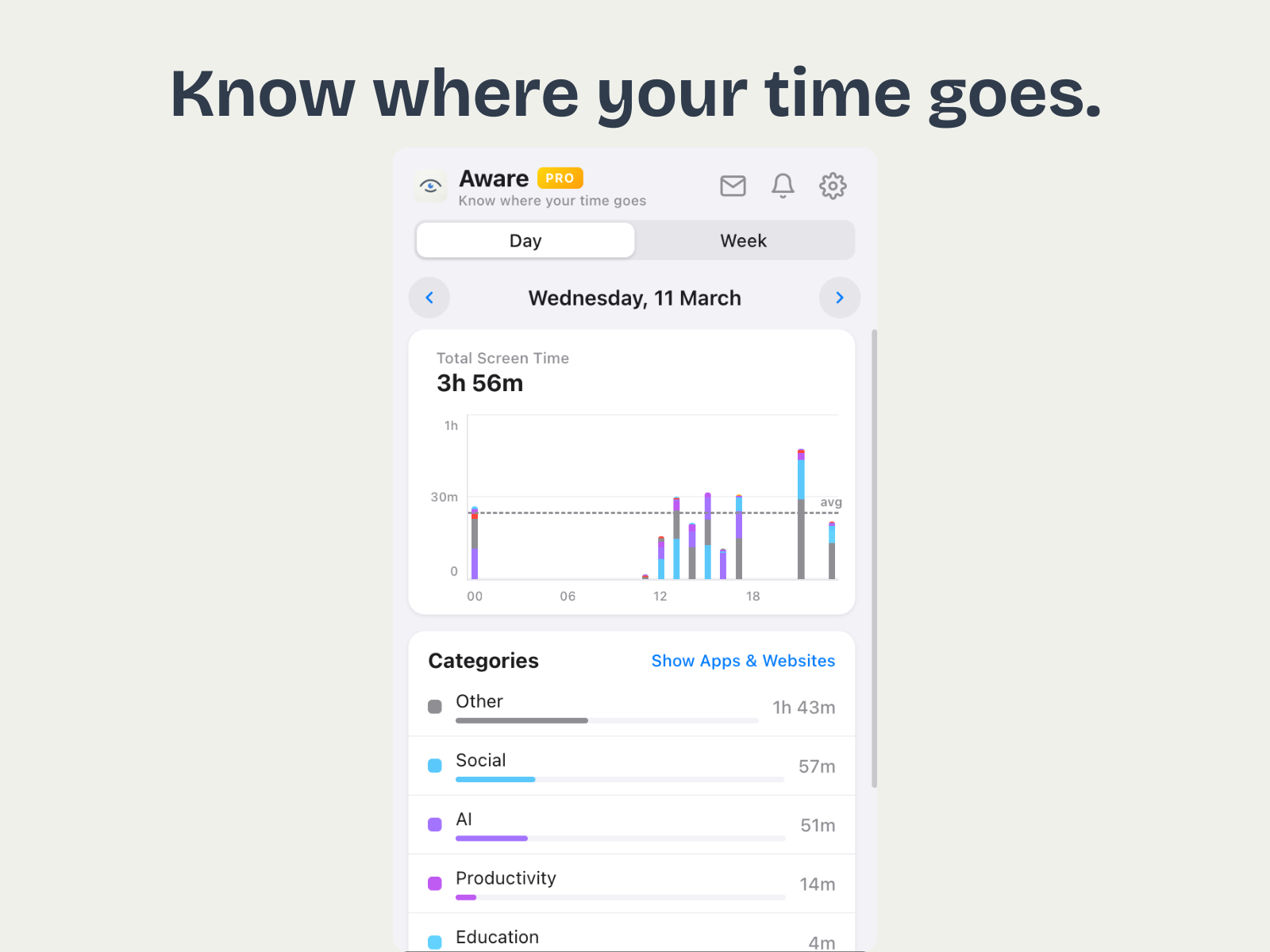
You have probably seen the advice a hundred times: "Just put your phone down." But what about the screen you stare at for eight to ten hours during the workday? Your computer is where the real screen time problem lives, and most people have zero visibility into it.
The challenge is different from mobile. You cannot simply "put down" your laptop — you need it for work. The goal is not zero screen time. It is eliminating the wasted hours that hide between productive ones.
1. Measure Before You Cut
You cannot reduce what you do not measure. Most people wildly underestimate how much time they spend on distracting sites. A 2025 study from RescueTime found that the average knowledge worker spends 2 hours and 11 minutes per day on sites they would classify as non-work. The first step is installing a lightweight tracker like Aware Pro that automatically logs every site you visit and categorizes it for you.
After one week of data, you will have a clear picture of where your time actually goes. That data is the foundation for every other strategy on this list.
2. Identify Your Top Three Time Sinks
Open your weekly report and sort by time spent. For most people, the culprits are predictable: YouTube, Reddit, Twitter/X, news sites, and online shopping. Pick your top three. These are the sites you are going to target first — do not try to fix everything at once.
3. Set Intentional Browsing Windows
Complete abstinence from distracting sites rarely works. Instead, schedule specific times for non-work browsing: 15 minutes after lunch, 10 minutes mid-afternoon. Outside those windows, those sites are off-limits. The key is making it a conscious choice rather than a reflexive tab-open.
4. Use the Two-Tab Rule
Tab hoarding is a symptom of unfocused work. Limit yourself to two tabs: one for the task you are working on, and one for reference. If you need a third tab, close one first. This forces you to finish tasks rather than bouncing between half-started work and social media.
5. Batch Your Email and Messaging
Email and Slack are technically "work," but constant context-switching between them and deep work is one of the biggest hidden time drains. Check email three times a day: morning, after lunch, and before end of day. Close the tab between checks.
6. Review Your Weekly Trends
Daily data fluctuates. Weekly trends reveal patterns. With Aware Pro's Week view, you can spot which days are your most productive and which days you lose the most time. Many people discover that Mondays and Fridays are their weakest days — and adjust their schedules accordingly.
7. Take Physical Breaks, Not Screen Breaks
When you need a break from focused work, do not switch to YouTube or Reddit. Stand up, walk around, make coffee, stretch. A screen break that involves switching to a different screen is not a break — it is just a different kind of fatigue.
8. Set a Weekly Screen Time Budget
Pick a number for your weekly non-work screen time and treat it like a budget. Aware Pro's weekly summary notification (delivered every Monday) makes this easy: you get a report card showing exactly how you did. Over time, that number should trend down as better habits take hold.
Start With Awareness
Every strategy on this list depends on one thing: knowing where your time goes. Install Aware Pro, let it run for a week, and look at the data. Most people are shocked. That shock is the first step toward change.