Least privilege
Asks only for the permissions its job needs — every one is listed with its reason.

extension

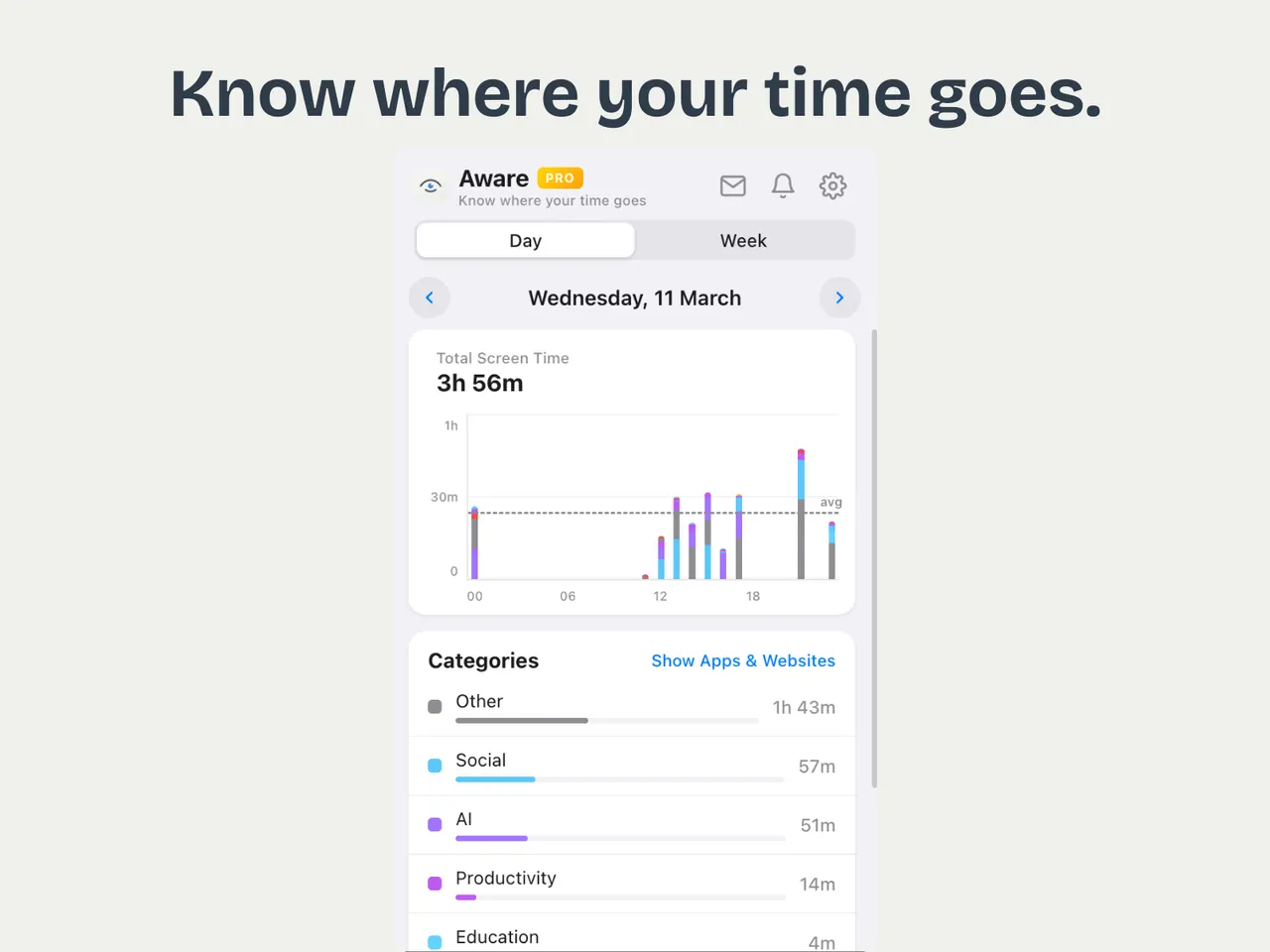
See where your day went.

Pin your best ChatGPT chats.

Grab any YouTube thumbnail.

Bookmark the exact second.

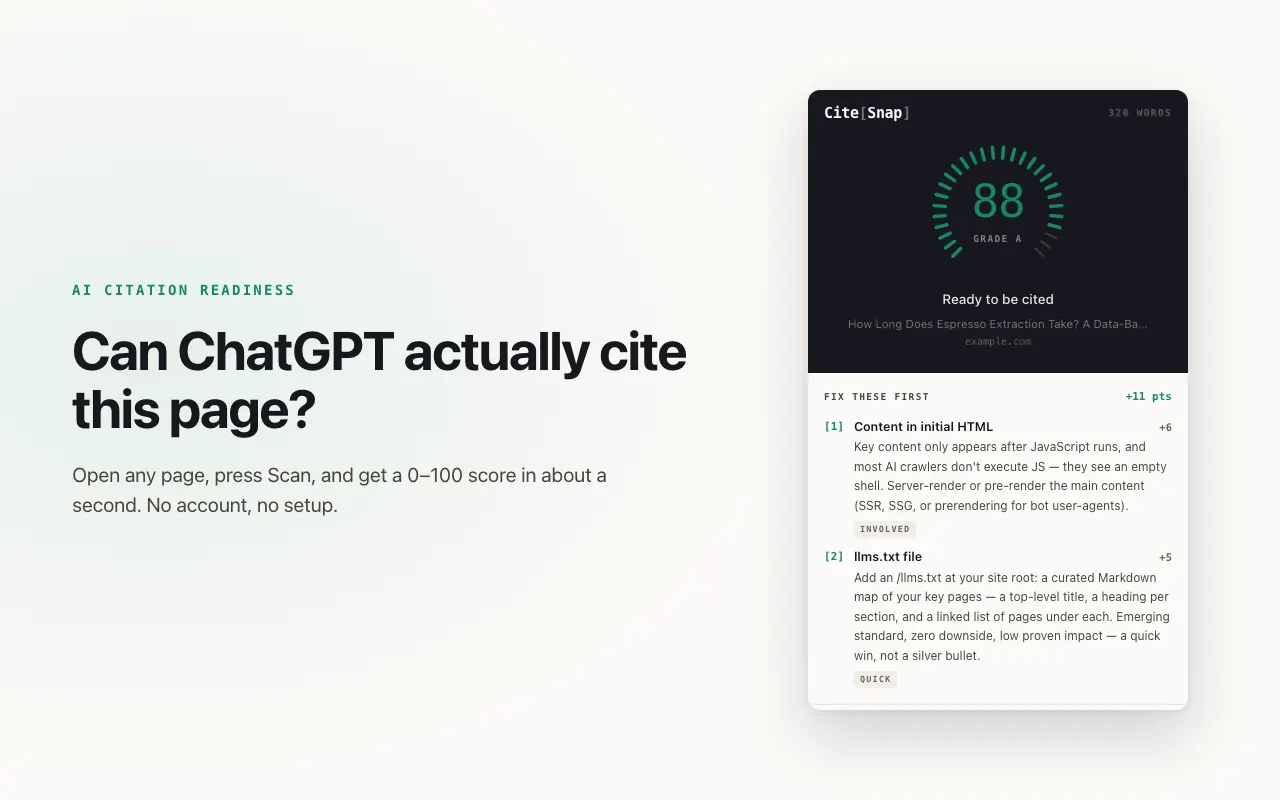
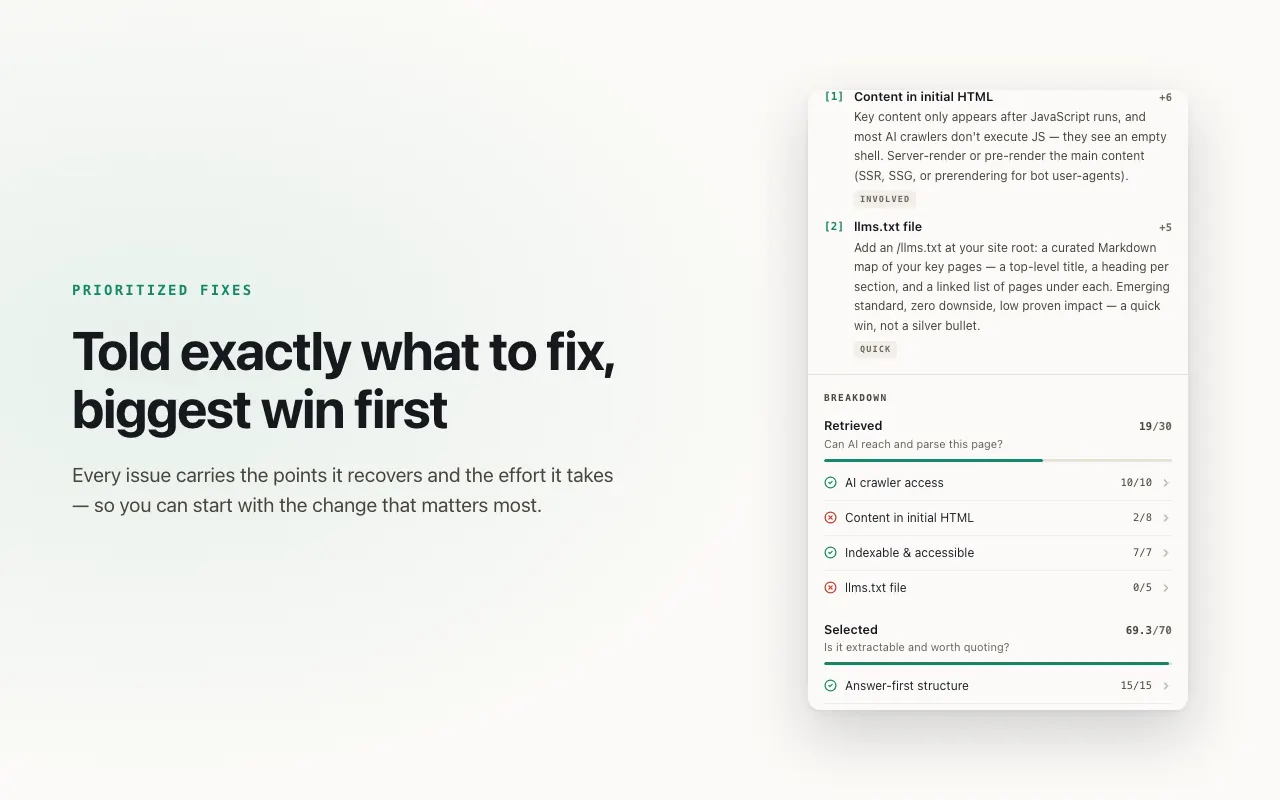
Score any page for AI citations.

Seek, speed up, pop out.

Tile tabs. Keep groups.

One site. One click.

Open a book. Keep your place.

Recite first. Then browse.

Every cookie. Every change undoable.

JSON, readable the moment it loads.

Every pixel right. Nothing uploaded.
ExtensionShop is the home of thirteen privacy-first Chrome extensions built and maintained by independent developer Ilias El Barhoumi. Each one does a single job, asks for as few permissions as it can, and installs from the Chrome Web Store.
Asks only for the permissions its job needs — every one is listed with its reason.
Most data never leaves your browser. Each extension has its own privacy policy.
Small installs that stay out of your way and never slow your browser down.
| Extension | What it does | Category | Price | Rating |
|---|---|---|---|---|
| Aware Pro | Screen time tracker & site blocker for Chrome | Productivity | Free | ★ 4.8 (10) |
| FavGPT | Pin your favourite ChatGPT conversations | Productivity | Free | New |
| ThumbSnap | Download YouTube thumbnails in one click | Productivity | Free | ★ 5 (1) |
| MarkSnap | Timestamp bookmarker — one shortcut, every platform | Productivity | Free | ★ 5 (1) |
| CrawlRadar | Can ChatGPT actually cite this page? | Developer Tools | Free | ★ 5 (1) |
| InstaControls | Real video controls for Instagram | Social | Free | New |
| Tab Mosaic | Tile tabs across monitors, keep your tab groups | Productivity | Free | New |
| JS Switch | Disable JavaScript per site, in one click | Developer Tools | Free | New |
| Readpane | Read EPUB books in Chrome with search and bookmarks | Productivity | Free | New |
| Unlock with Adkar & Quran | Your sites wait until you finish your daily Adkar | Productivity | Free | New |
| CookieDesk | View, edit and delete cookies, partitioned ones too | Developer Tools | Free | New |
| JSONDesk | A fast JSON viewer and formatter that sends nothing | Developer Tools | Free | New |
| ShotFrame | Full-page screenshots that never leave your computer | Productivity | Free | New |
ExtensionShop is the home of thirteen Chrome extensions built and maintained by independent developer Ilias El Barhoumi: Aware Pro (screen time and site blocking), FavGPT (pinned ChatGPT chats), ThumbSnap (YouTube thumbnails), MarkSnap (video and podcast timestamps), CrawlRadar (AI-citation readiness), InstaControls (video controls for Instagram), Tab Mosaic (tab tiling across monitors that keeps tab groups), JS Switch (a per-site JavaScript on/off switch), Readpane (an EPUB reader with search and bookmarks), Unlock with Adkar & Quran (a daily Adkar habit that unlocks your sites, with a Mushaf Quran reader), CookieDesk (a cookie editor with undo and partitioned cookies), JSONDesk (a fast JSON viewer and formatter) and ShotFrame (full-page screenshots with annotation, saved locally). Every install goes through the Chrome Web Store.
Each extension requests only the permissions its job needs, and its page lists every permission with the reason for it. Most keep their data on your device, and each one has its own privacy policy that says exactly what is collected and where it goes. Installs come from Google's Chrome Web Store, which reviews every listing and update.
All thirteen are designed, built and maintained by Ilias El Barhoumi. There are no third-party submissions: the catalogue is small on purpose, and every extension follows the same four rules — solve one real problem, work reliably, ask for the fewest permissions possible, and stay lightweight.
Yes. Every extension on ExtensionShop is free to install and use, with no subscriptions. Some have an optional Ko-fi tip link if you want to support the work.
Click "Add to Chrome" on any extension page. You'll be redirected to the Chrome Web Store where you can install it with one click. ExtensionShop itself doesn't install anything — all installs go through Google's official store.
All extensions on ExtensionShop are built for Google Chrome and Chromium-based browsers (Edge, Brave, Arc, Opera). Some may work on Firefox, but Chrome is the primary target.
Each extension page has a "Contact support" link that emails the developer directly. General questions can go to support@extensionshop.store.