
Back to Extensions
 Read Full Privacy Policy
 Add to Chrome
Productivity
Aware Pro
Screen time tracker for Chrome
About
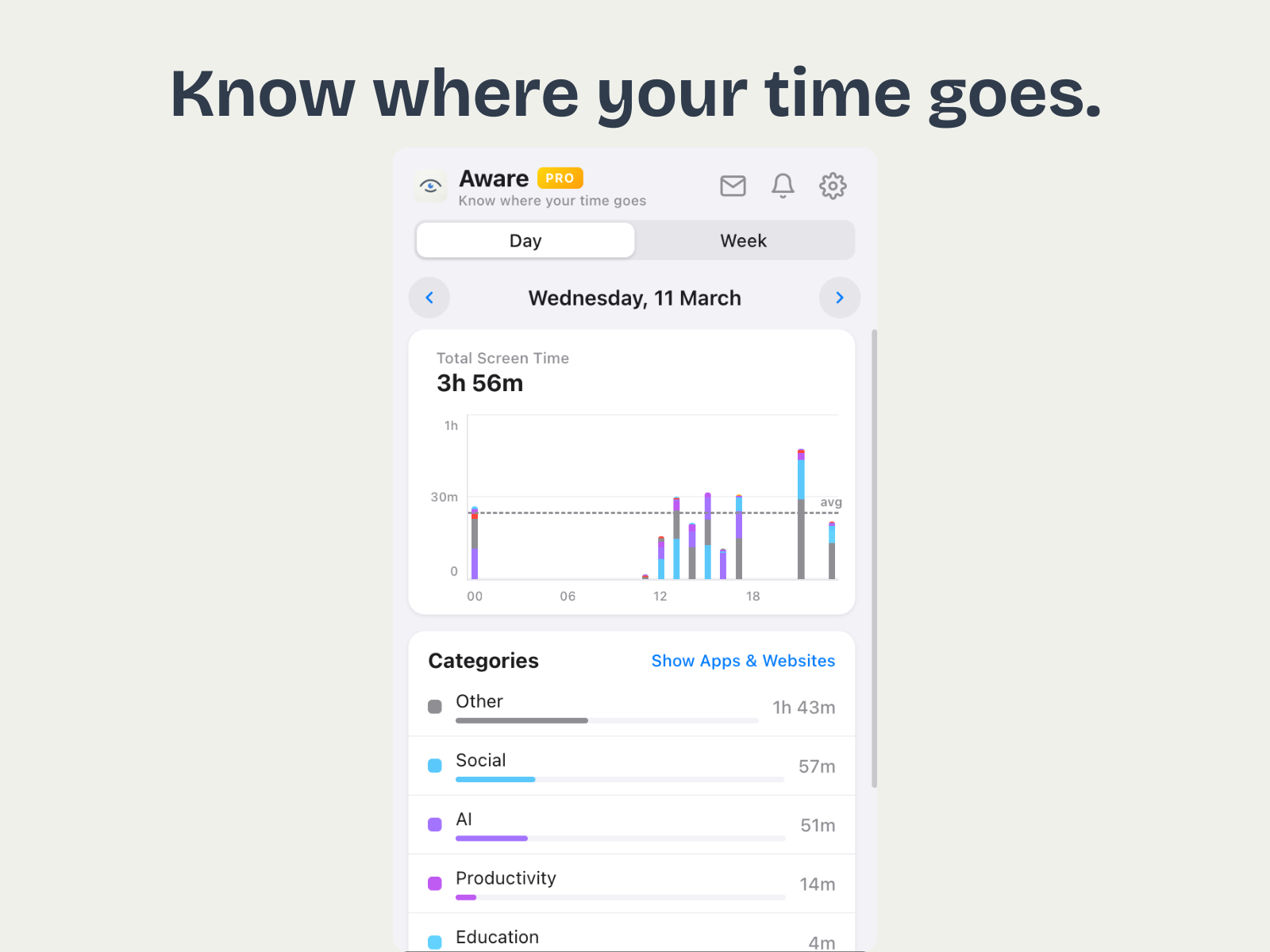
Aware automatically tracks how you spend time on every website and presents your stats in a clean, Apple Screen Time-inspired interface. Get hourly breakdowns, weekly trends, and smart categorization of 200+ websites into groups like Social Media, Entertainment, Productivity, and more. Day and Week views let you understand your browsing habits at a glance. Pro unlocks unlimited history, full site lists, weekly summary notifications, and advanced statistics. All data stays local on your device — no servers, no accounts, no cloud sync.
Screenshots
Key Features
- Automatic time tracking on every website — no manual timers
- Hourly stacked bar chart (24h view) and weekly bar chart (Mon–Sun)
- Smart categorization of 200+ websites into meaningful groups
- Unlimited daily and weekly history with Pro
- Full site list with detailed breakdowns
- Weekly summary notifications every Monday
Permissions
Tabs
Monitors the active tab to track which website you are currently using
Storage
Stores your browsing time data and preferences locally on your device
Idle Detection
Detects when you are away from the keyboard to pause time tracking
Alarms
Periodic data flush and weekly notification scheduling
Notifications
Sends weekly screen time summary notifications to Pro users every Monday
What's New
v1.1.0Mar 2026
Added Pro tier with LemonSqueezy integration, 7-day free trial, license activation, and subscription management
v1.0.0Feb 2026
Initial release with automatic time tracking, day/week views, smart categorization, and dark mode
Data Privacy
Data Collected
- Website Domain Names
Domain names of visited websites (e.g., youtube.com) to calculate time spent per site - Time Spent Per Site
Seconds spent on each domain per day, with hourly breakdowns - Anonymous Analytics
Basic usage events (popup opened, upgrade clicked) sent to Google Analytics via Measurement Protocol — no personal data included
Not Collected
- Page content, text, or screenshots
- URLs beyond the domain name (no paths, queries, or fragments)
- Passwords, form data, or authentication tokens
- Personal identification information
Frequently Asked Questions
Aware Pro tracks the domain name (e.g. youtube.com) and time spent on each website. It does not track specific URLs, page content, or anything you type. All data stays on your device.
No. All browsing time data is stored locally in Chrome's storage on your device. The only network requests are anonymous feature-usage analytics (e.g. "popup opened") sent to Google Analytics, and license validation for Pro users via LemonSqueezy.
Pro unlocks unlimited history (free tier keeps 7 days), full site lists with detailed breakdowns, weekly summary notifications every Monday, and advanced statistics. There's a 7-day free trial.
Aware uses Chrome's built-in idle detection API. When you step away from your keyboard, time tracking pauses automatically so your stats reflect actual active browsing time.
You can clear all data from the extension's settings page. Uninstalling the extension also removes everything. Data export is not currently available but is planned for a future update.
Add to ChromeVersion1.1.0
UpdatedMar 2026
Size0.3 MB
DeveloperMIE