 Social
InstaControls
Seek, speed up, pop out.
Real video controls for Instagram
- New · no ratings yet
- v1.0.0
- 188 KB
- updated Oct 2026
- by Ilias El Barhoumi
 Add to ChromeFree
See it in action
What it does.
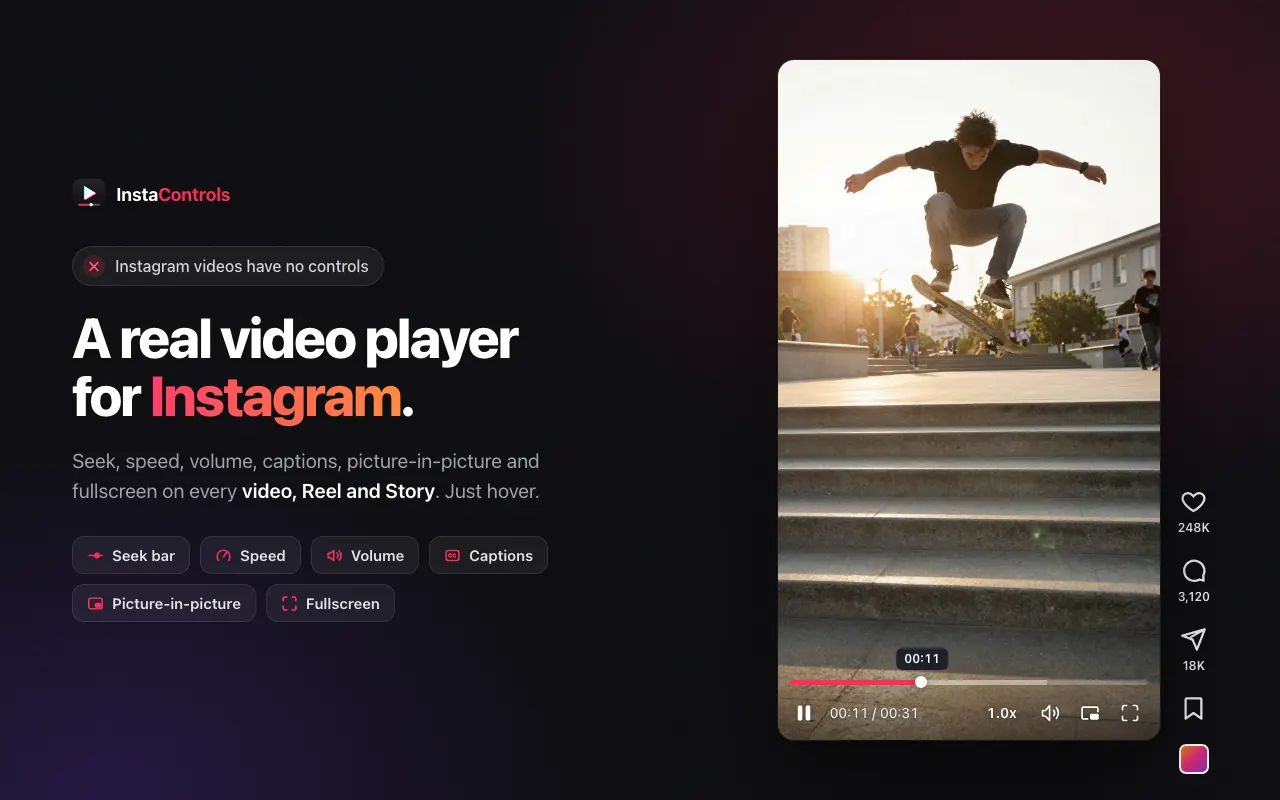
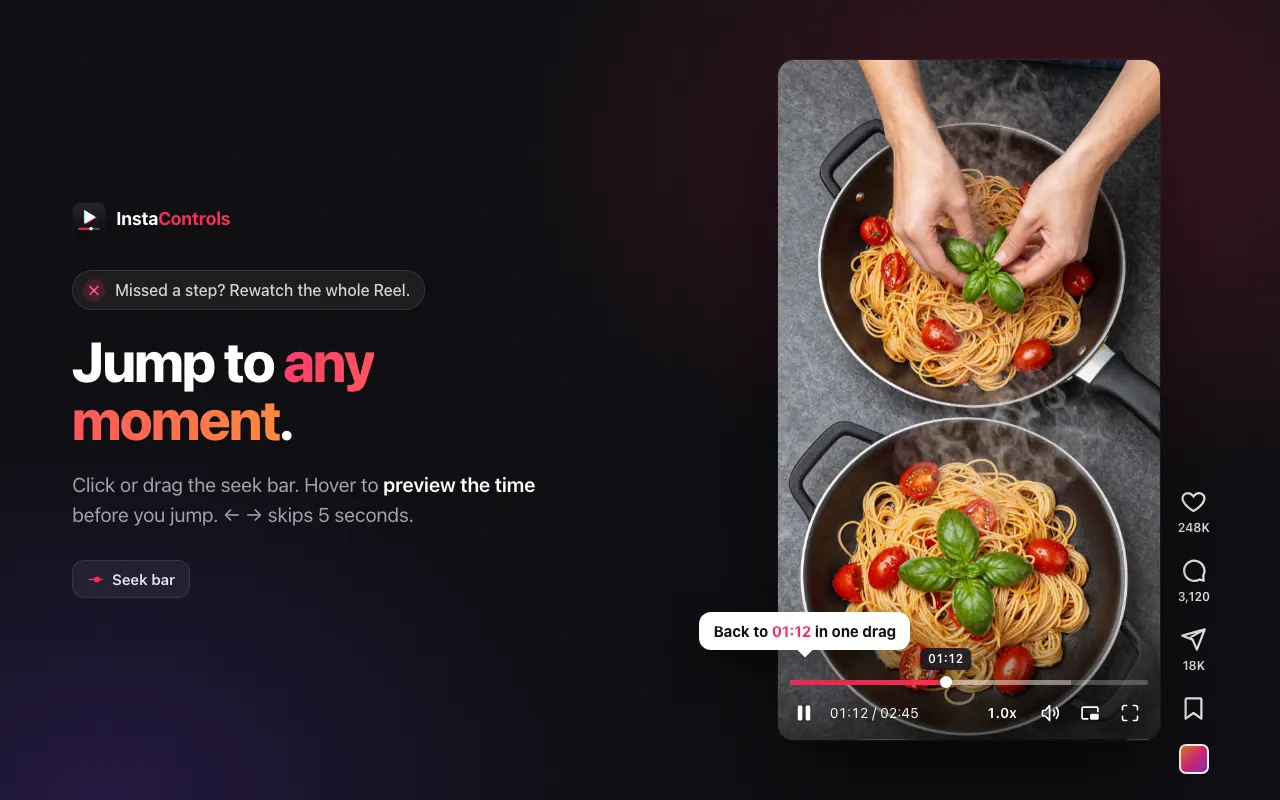
Seek bar on every Instagram video, Reel and Story: click or drag to any moment, with a time preview on hover
Current time and duration, so you always know how much is left
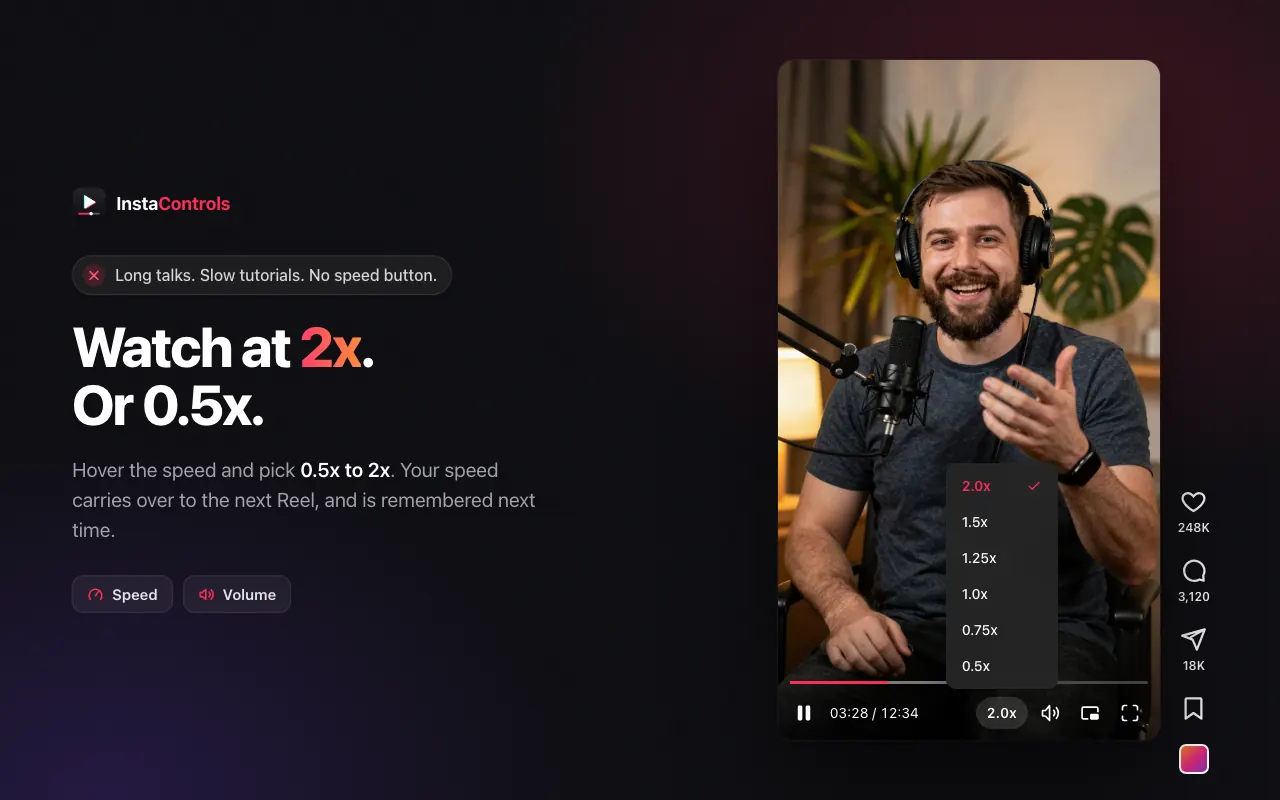
Playback speed from 0.5x to 2x, opened by hovering the speed label
Volume slider, or scroll over the volume icon to adjust
Captions, when the video provides them
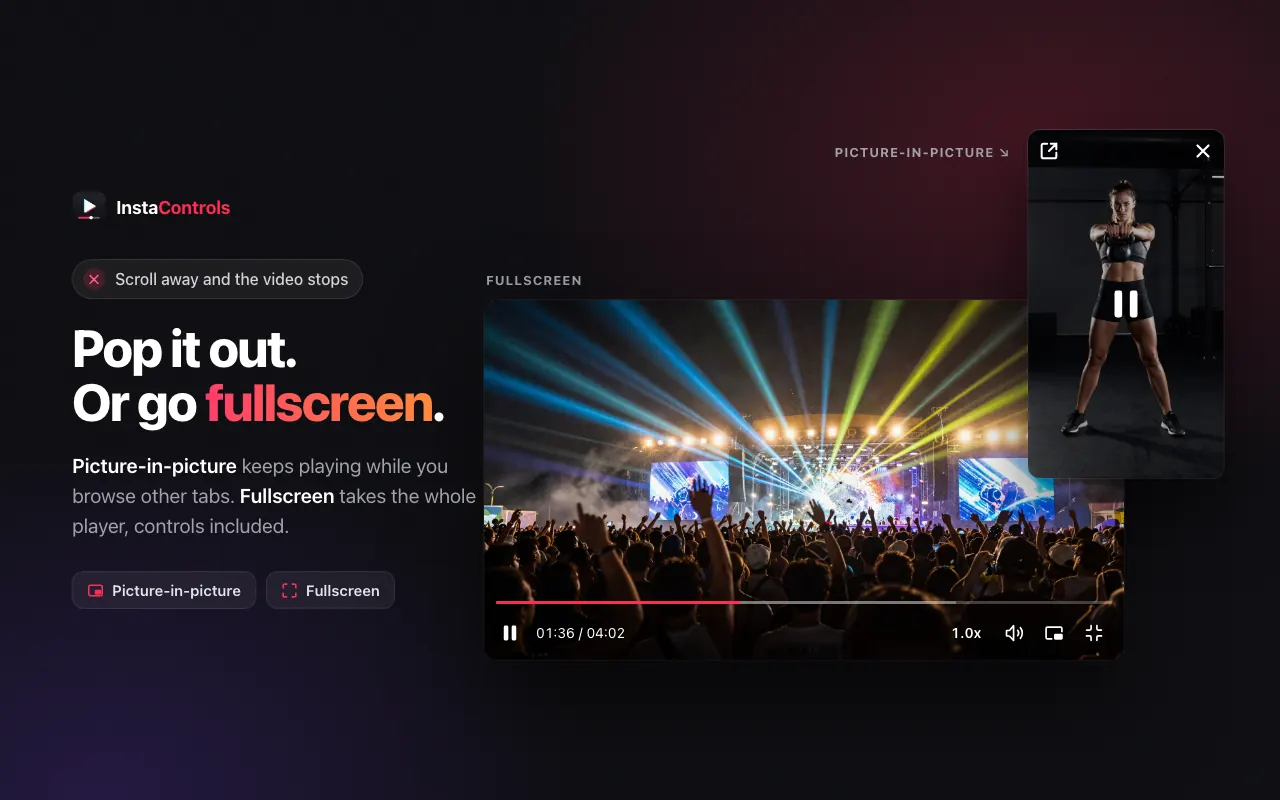
Picture-in-picture that keeps playing while you browse other tabs
Fullscreen for the whole player, controls included
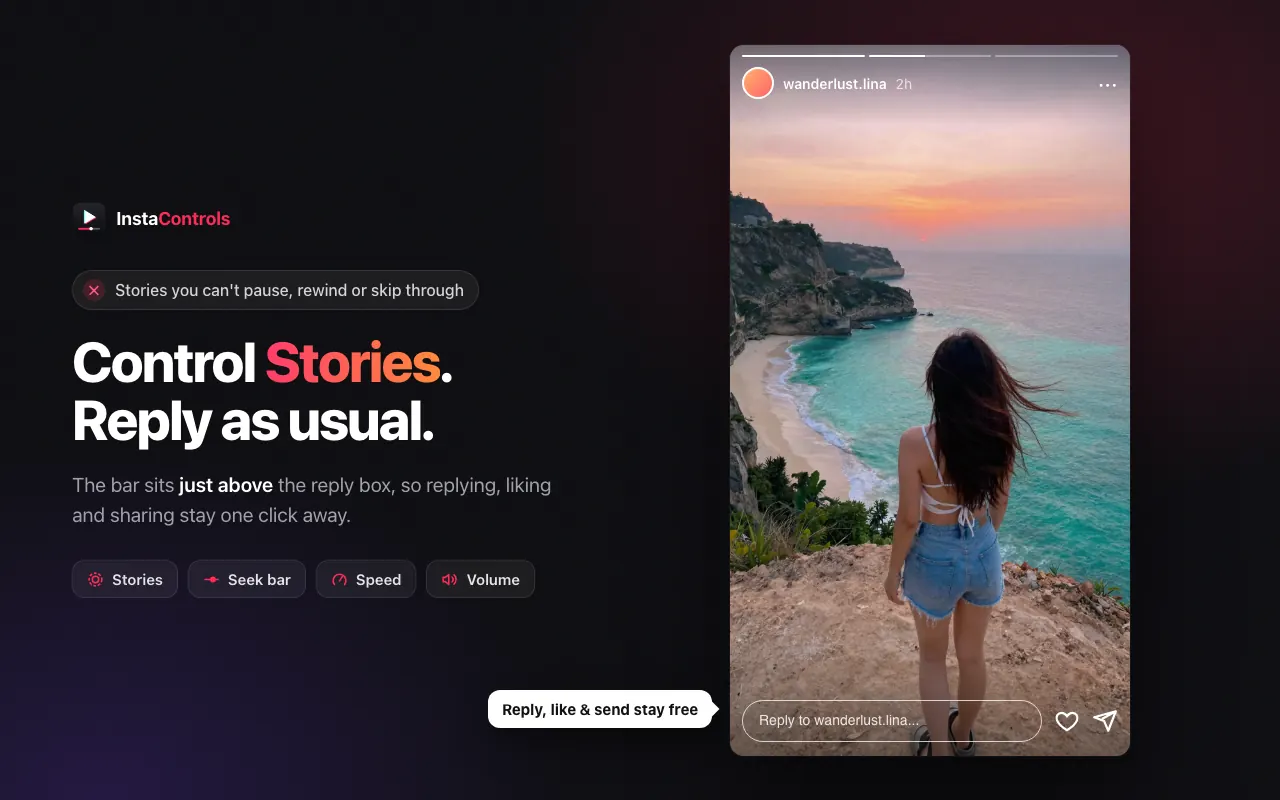
Stories support: the bar docks above the reply box so reply, like and share stay one click away
One clean set of controls: replaces Instagram's small play and sound buttons and hides duplicate overlays from other video extensions
Speed and volume carry over to the next Reel and can be remembered between visits
Keyboard: ← → on the seek bar skips 5 seconds
Interface translated into 51 languages
No account, no analytics, no serversruns only on instagram.com
The long version
Instagram's website gives videos almost no controls: you can't skip ahead, rewind the part you missed, speed up a long talk or set the volume, so missing one sentence means rewatching the whole Reel. InstaControls fixes that. Hover any video, Reel or Story on instagram.com and a clean control bar appears: a seek bar you can click or drag (with a time preview on hover), the current time and duration, a speed menu from 0.5x to 2x that opens on hover, a volume slider you can also scroll, captions when the video has them, picture-in-picture that keeps playing while you browse other tabs, and fullscreen that takes the whole player with its controls. On Stories the bar docks just above the reply box, so replying, liking and sharing stay one click away, and Instagram's own play and sound buttons are replaced so there is a single, clean set of controls. Your speed and volume carry over from one Reel to the next and can be remembered between visits. Everything runs in your browser on instagram.com only: no account, no analytics, no servers. The interface is translated into 51 languages.
Your data, plainly
What it uses
- Settings and playback preferences (stored locally)
Your on/off switches, your last chosen volume and playback speed, and a usage counter for the optional support message are stored in Chrome's extension storage on your device. They are never sent anywhere.
Never collected
- Videos, Reels, Stories, messages or any Instagram content
- Your Instagram account, username, followers or any personal identifiers
- Browsing history or activity on any site other than instagram.com
- Analytics, telemetry or usage tracking of any kind
Why it asks
Storage
Saves your settings (controls on/off, show on Stories, remember volume, remember speed), your last chosen volume and speed, and a local counter used to show an occasional optional "support the developer" message. Everything stays in your browser's extension storage and is never transmitted.
Host Access (instagram.com)
The extension's only job is to add a control bar to Instagram's video player, so its content scripts run on instagram.com pages to draw the controls over each video and apply your speed and volume. It runs on no other site. One packaged script runs in the page's own context to keep a picture-in-picture video playing when Instagram tries to pause it in the background.
What’s new
- v1.0.0Oct 2026
Initial release. Seek bar, time and duration, hover speed menu (0.5x–2x), volume, captions, picture-in-picture and fullscreen on Instagram videos, Reels and Stories; Stories bar docked above the reply box; replaces Instagram's own player buttons; settings popup; 51 languages.
Questions, answered
Does InstaControls work on Reels and Stories?
Yes. It works on videos in the home feed, Reels, posts, Explore and Stories. On Stories the control bar docks just above the reply box, so you can still reply, like and share in one click.
How do I change the playback speed?
Hover the speed label (1.0x) on the control bar and pick a speed from 0.5x to 2x. Your speed carries over to the next Reel, and you can have it remembered between visits in the settings.
Does picture-in-picture keep playing when I scroll away?
Yes. Click the picture-in-picture button and the video pops out into a floating window that keeps playing while you scroll Instagram or switch to other tabs.
Does InstaControls collect any data?
No. It runs entirely in your browser and only on instagram.com. Your settings are stored locally and never transmitted. There is no account, no analytics and no server.
Is InstaControls affiliated with Instagram?
No. InstaControls is an independent extension and is not affiliated with or endorsed by Instagram or Meta.