 Developer Tools
JS Switch
One site. One click.
Disable JavaScript per site, in one click
- New · no ratings yet
- v1.0.0
- 304 KB
- updated Oct 2026
- by Ilias El Barhoumi
 Add to ChromeFree
See it in action
What it does.
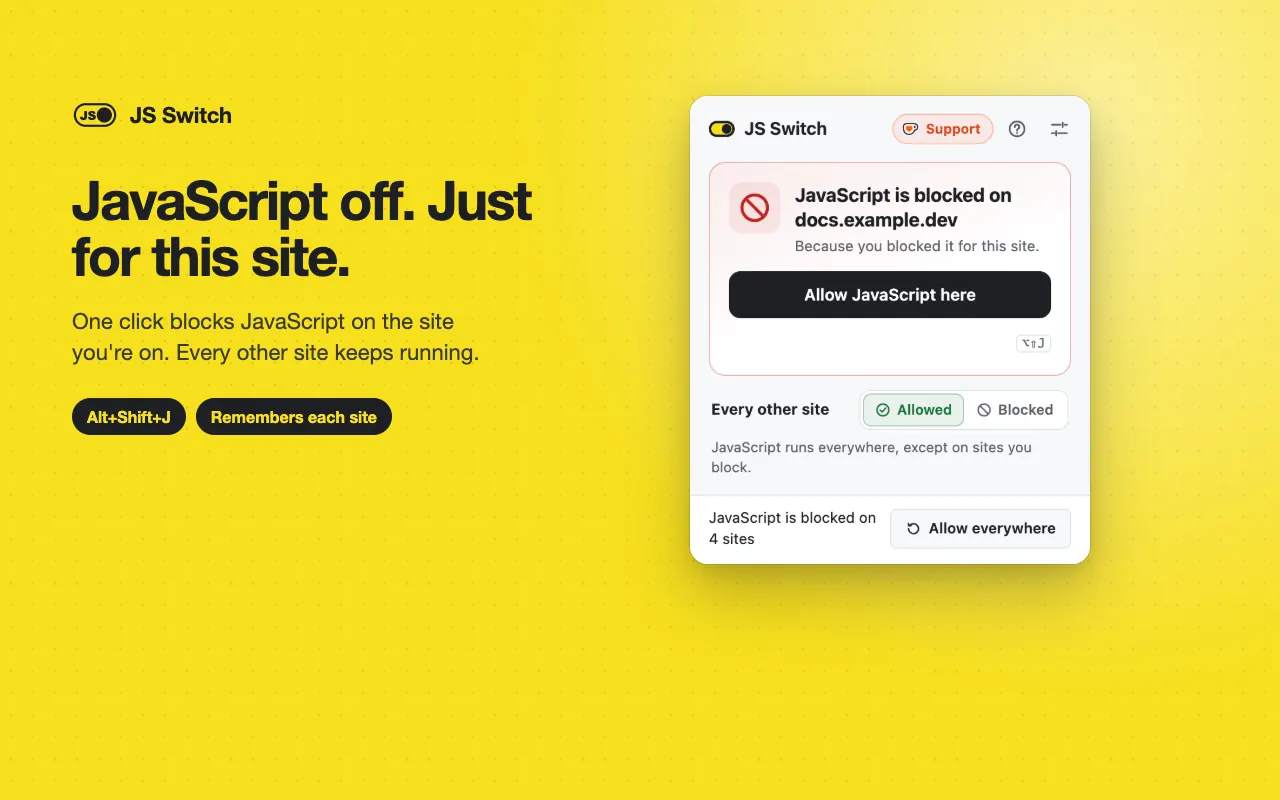
Block or allow JavaScript on the current site in one click, or Alt+Shift+J
Per site, remembered: only the site you switch changes; subdomains, ports and local files are kept separate
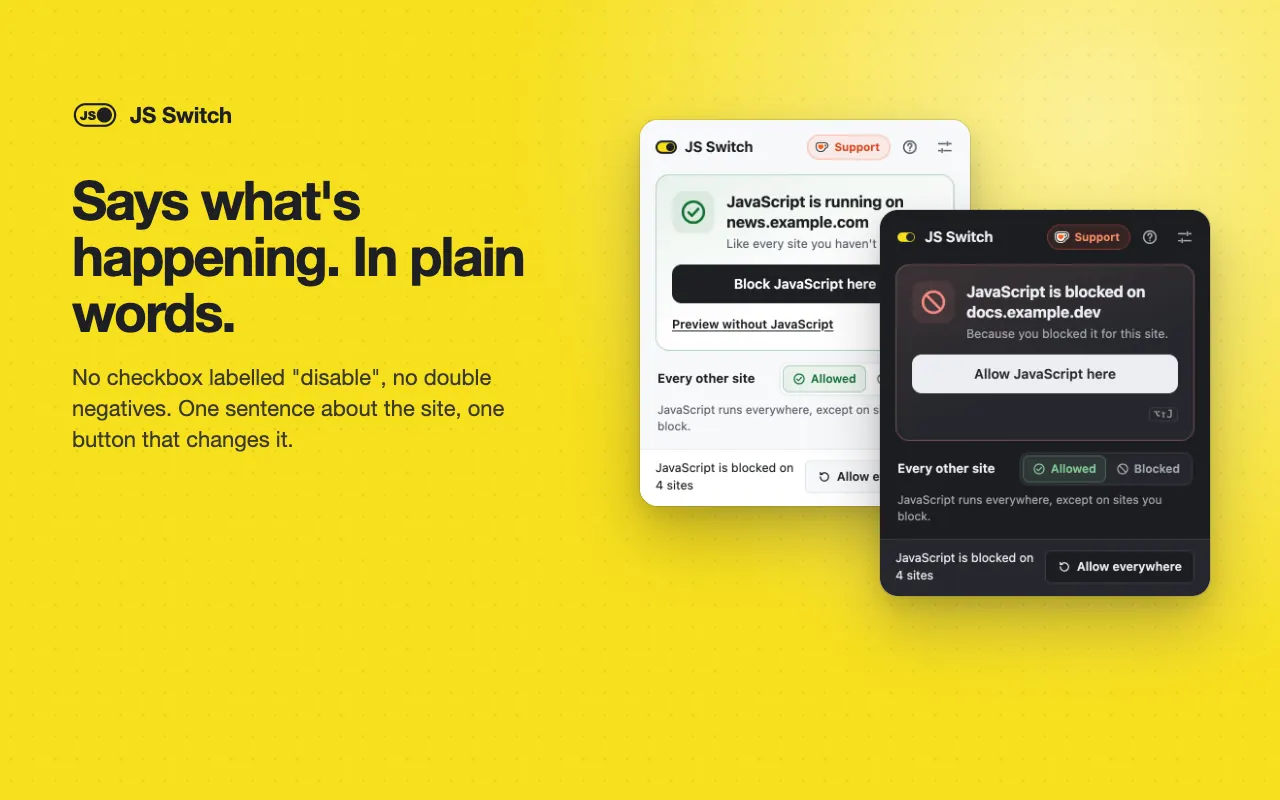
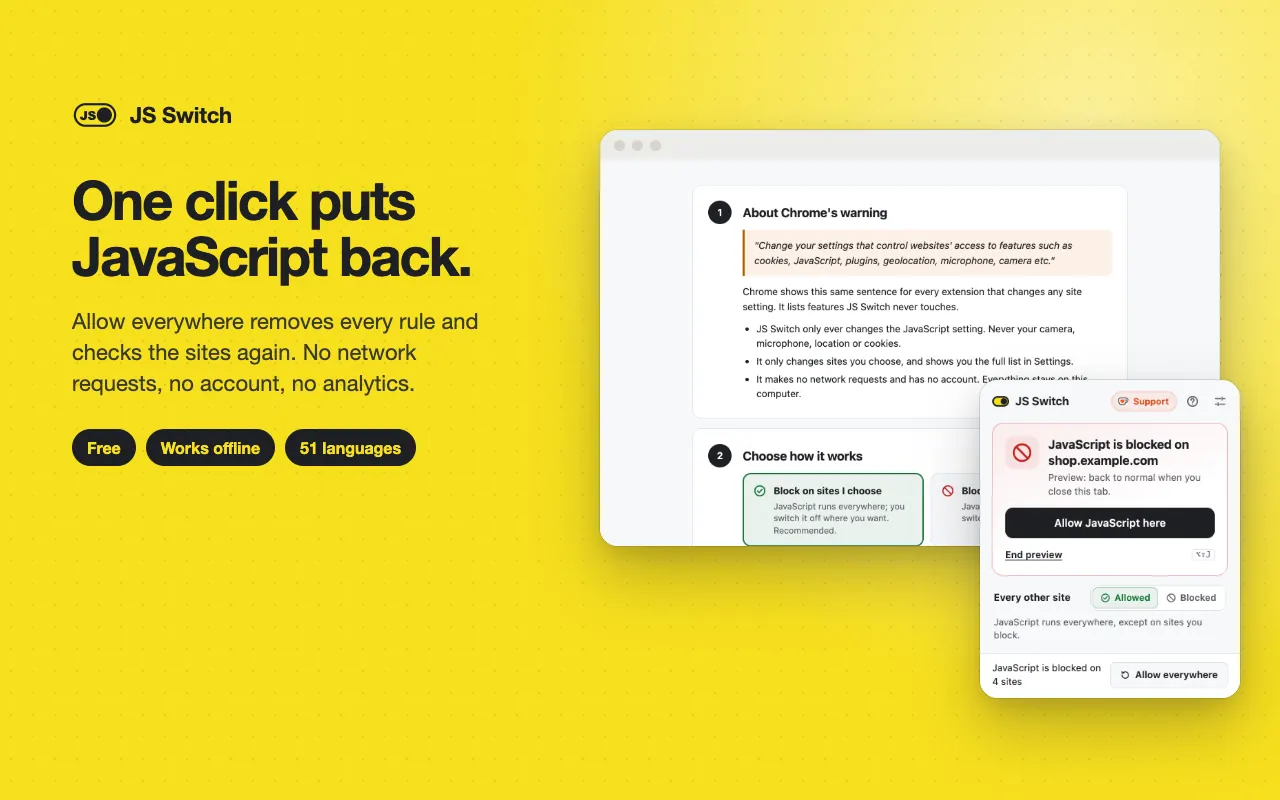
Plain-words popup: "JavaScript is blocked on example.com" with one button that does the oppositeno double negatives
Every other site: allowed (block where you choose) or blocked (allow where you choose)
Preview without JavaScript until you close the tabsee a page the way crawlers that don't run JavaScript see it
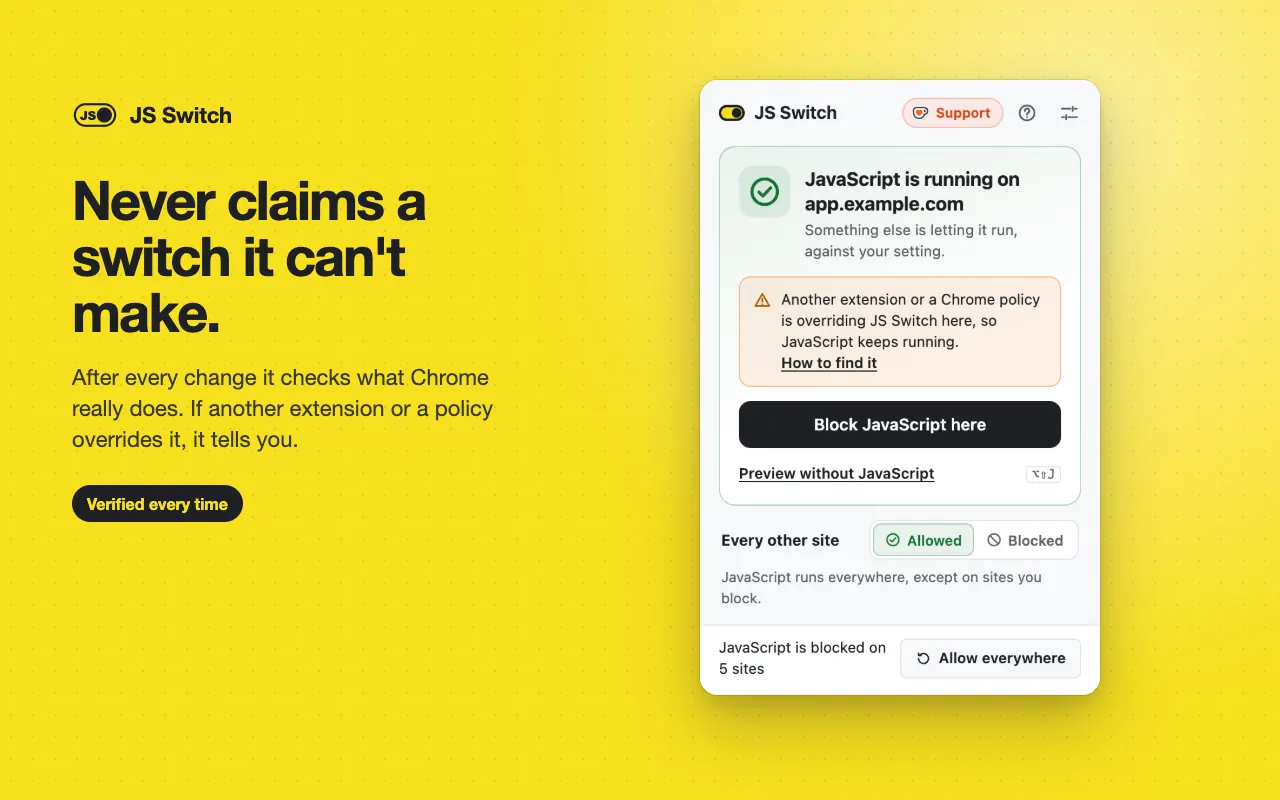
Conflict detection: after every switch it checks what Chrome really does and tells you when another extension or a policy overrides it
Allow everywhere: one click removes every rule and verifies JavaScript runs again
Your list is the source of truth; Chrome's setting is rebuilt from it at every start, so rules never pile up
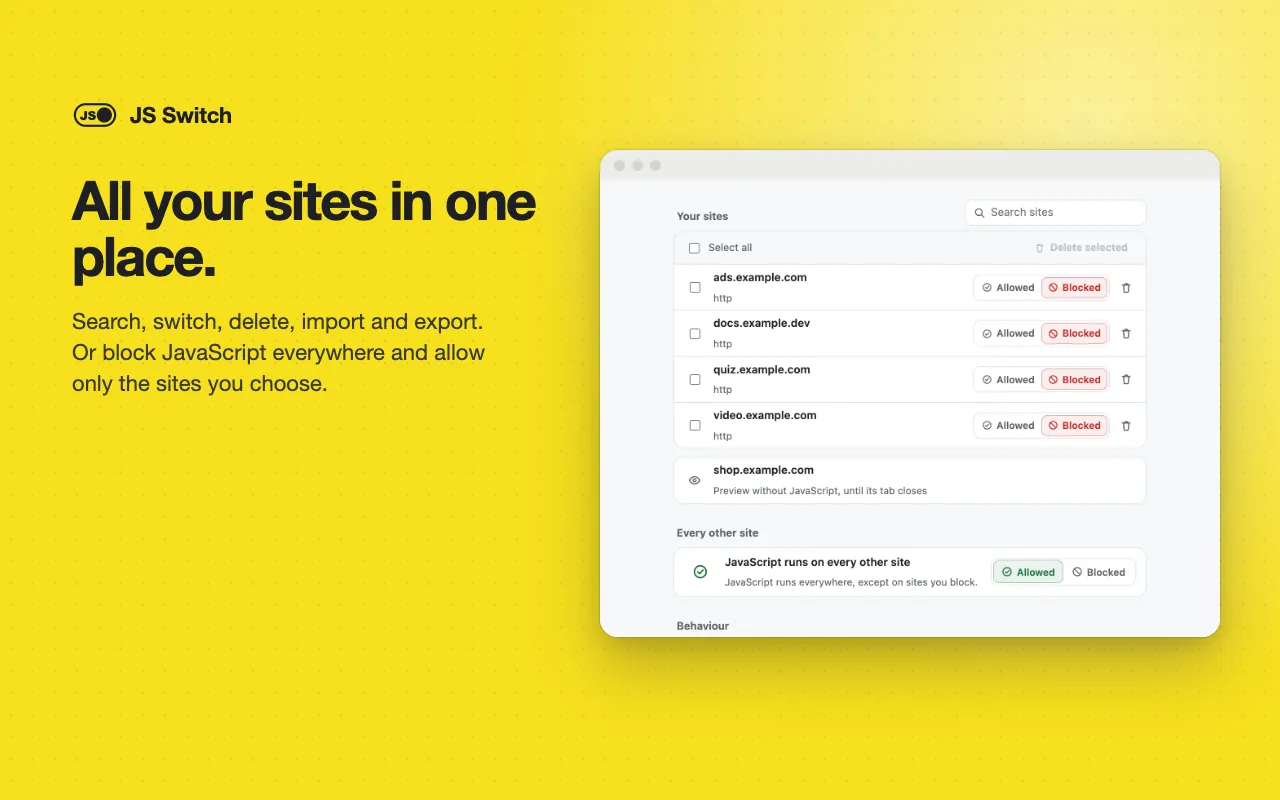
Settings: search, switch and bulk-delete sites; import and export the list as a file
Right-click a page → Switch JavaScript on this site, or Preview without JavaScript
Optional OFF badge on the toolbar icon for blocked sites
Interface translated into 51 languages
No network requests, no analytics, no accountworks offline
The long version
JS Switch turns JavaScript off or on for the site you're on, in one click on the toolbar button or with Alt+Shift+J, and remembers it for that site only: block example.com and every other site keeps running normally. The popup says it in one plain sentence — "JavaScript is blocked on example.com" — with one button that does the opposite, so there are no double negatives to decode. You can flip it the other way and block JavaScript everywhere except the sites you allow, or preview a page without JavaScript until you close the tab, the way crawlers that don't run JavaScript see it. Your site list is the source of truth and Chrome's own setting is rebuilt from it at every start, so rules can't pile up or drift. After every switch JS Switch asks Chrome what actually happens on that site; if another extension or a policy overrides it, the popup says so instead of claiming a success it can't deliver. "Allow everywhere" is always one click away whenever anything is blocked: it removes every rule and checks that JavaScript runs again. Settings lists your sites with search, bulk delete and import/export, and an optional toolbar badge shows OFF on blocked sites. It makes no network requests, has no account and never reads page contents, and the interface is translated into 51 languages.
Your data, plainly
What it uses
- Site list and settings (stored locally)
Each site's address pattern (for example https://example.com/*) and whether JavaScript is allowed or blocked there, the "every other site" setting, and your preferences are stored in Chrome's extension storage on your device. They are never sent anywhere. - Usage counters (stored locally)
How many switches worked, on how many days, and your answers to the optional support and rating cards, used only to decide when to show them. They stay on your device.
Never collected
- Page contents — JS Switch has no content scripts and never reads pages
- Browsing history, unless you turn on the toolbar badge, and even then nothing is stored or sent
- Your Google account, name, email or any personal identifiers
- Analytics, telemetry or crash reports of any kind
Why it asks
Content settings
The only way an extension can switch JavaScript for a site. Chrome shows one fixed warning for it that also names cookies, plugins, location, microphone and camera; JS Switch only ever changes the JavaScript setting, and only for sites you choose.
Storage
Keeps your site list and settings on your device — the list Chrome's setting is rebuilt from. Previews live in session memory and disappear when the tab or Chrome closes. Also keeps a few local counters used to time an occasional optional support or rating card.
Active tab
Reads the address of the current tab only when you open the popup, press the shortcut or use the page menu, so it knows which site to switch.
Context menus
Adds "Switch JavaScript on this site" and "Preview without JavaScript" to the page right-click menu.
Tabs (optional)
Requested only if you turn on the toolbar badge, so JS Switch knows which site each tab shows as you browse. Chrome describes it as "Read your browsing history". Everything else works without it, and you can turn it off in settings.
What’s new
- v1.0.0Oct 2026
Initial release. Per-site JavaScript switch with keyboard shortcut and page menu, global mode, preview without JavaScript, conflict detection, one-click Allow everywhere, sites list with import/export, optional toolbar badge, first-run guide to Chrome's permission warning, and 51 languages.
Questions, answered
How do I disable JavaScript for just one site?
Open the site, click the JS Switch button and press "Block JavaScript here", or press Alt+Shift+J. The page reloads without JavaScript, and only that site changes. Press the same button ("Allow JavaScript here") to turn it back on.
What if I can't get JavaScript back?
Open JS Switch and click "Allow everywhere": it removes every rule it made and checks that JavaScript runs again. Without the extension, open chrome://settings/content/javascript and choose "Sites can use JavaScript". Removing JS Switch also removes all of its rules.
Why does the popup say something else is overriding it?
Chrome lets the most recently installed extension, or an enterprise policy, win for a site. JS Switch checks what Chrome really does after every switch, and when another extension or policy decides the result it tells you instead of pretending, with steps to find it.
Why does Chrome warn about cookies, camera and microphone?
That is Chrome's fixed sentence for any extension that changes a site setting. JS Switch only ever changes the JavaScript setting, only for the sites you choose; the welcome page explains it.
Can I see a page the way crawlers see it?
Use "Preview without JavaScript": the site is blocked until you close that tab, then it's back to normal. It's never saved as a rule, which makes it handy for SEO and AI-visibility checks.
Does JS Switch collect any data?
No. It makes no network requests, has no account and never reads page contents. Your site list stays in your browser.