 Developer Tools
CookieDesk
Every cookie. Every change undoable.
View, edit and delete cookies, partitioned ones too
- New · no ratings yet
- v1.1.0
- 671 KB
- updated Oct 2026
- by Ilias El Barhoumi
See it in action
What it does.
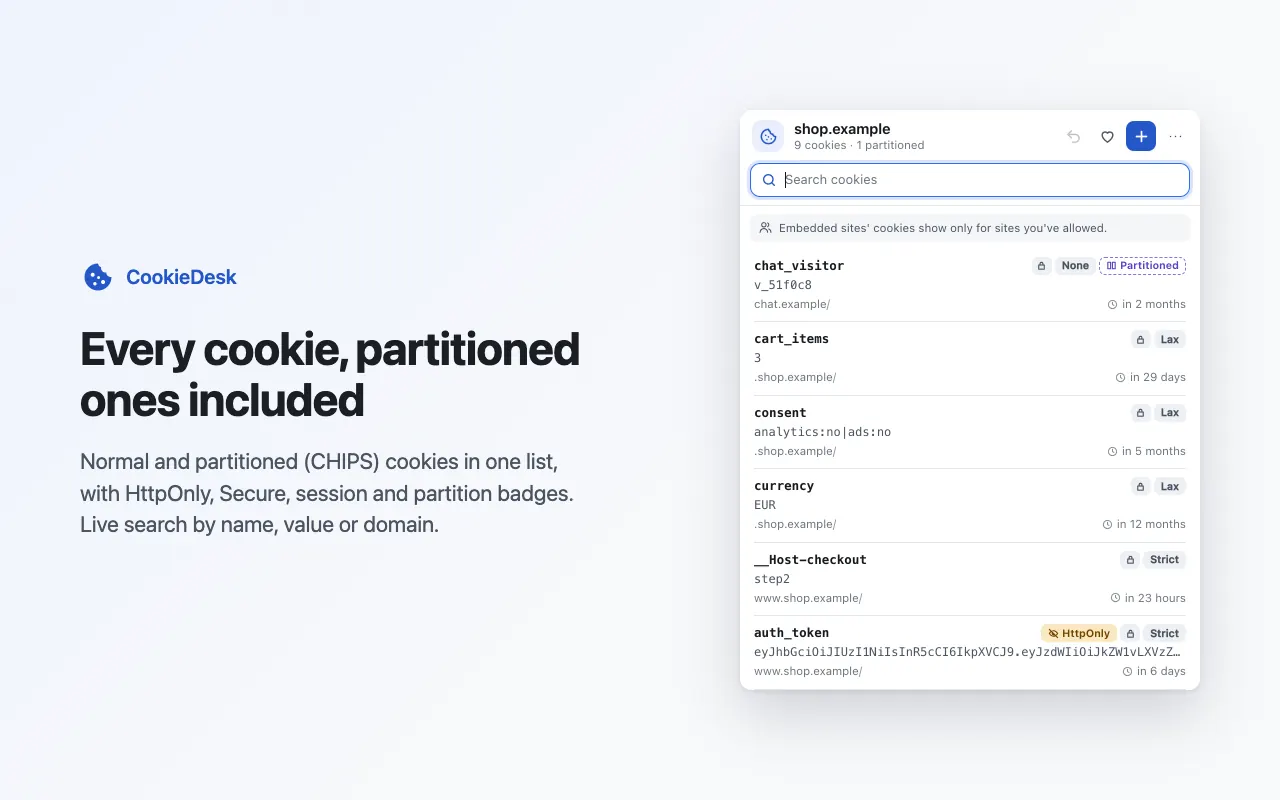
Every cookie of the current site, in a popup or a side panelpartitioned (CHIPS) cookies included, each labelled with its partition
Badges for HttpOnly, Secure, SameSite, session and partitioned cookies; HttpOnly is called out as "not visible to page JavaScript"
Live search by name, value or domain, and a live view that highlights what the site sets or changes
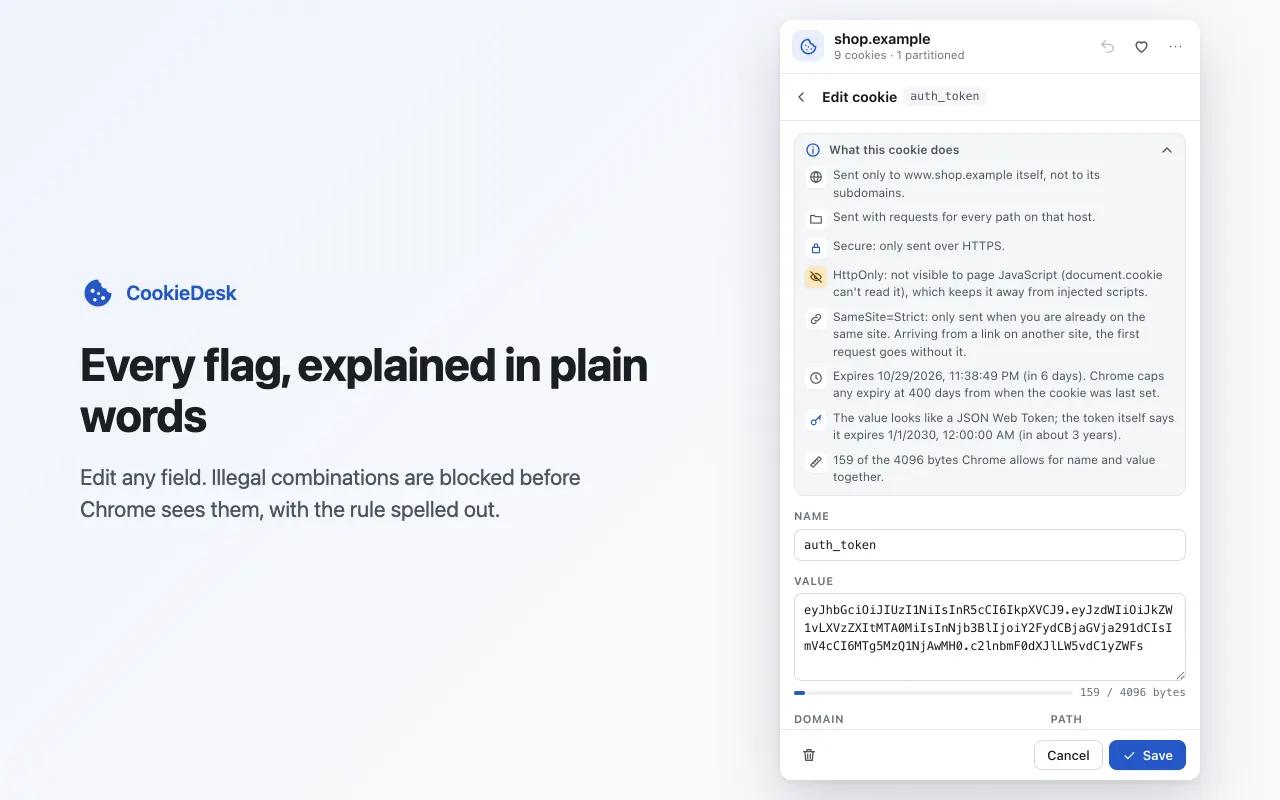
Edit every field: name, value, domain, path, expiry, Secure, HttpOnly, SameSite and partition
Mistakes caught before Chrome sees them (SameSite=None without Secure, a __Host- cookie on a subdomain), with the rule explained
"What this cookie does": every flag explained in plain words, plus JSON Web Token detection with its expiry
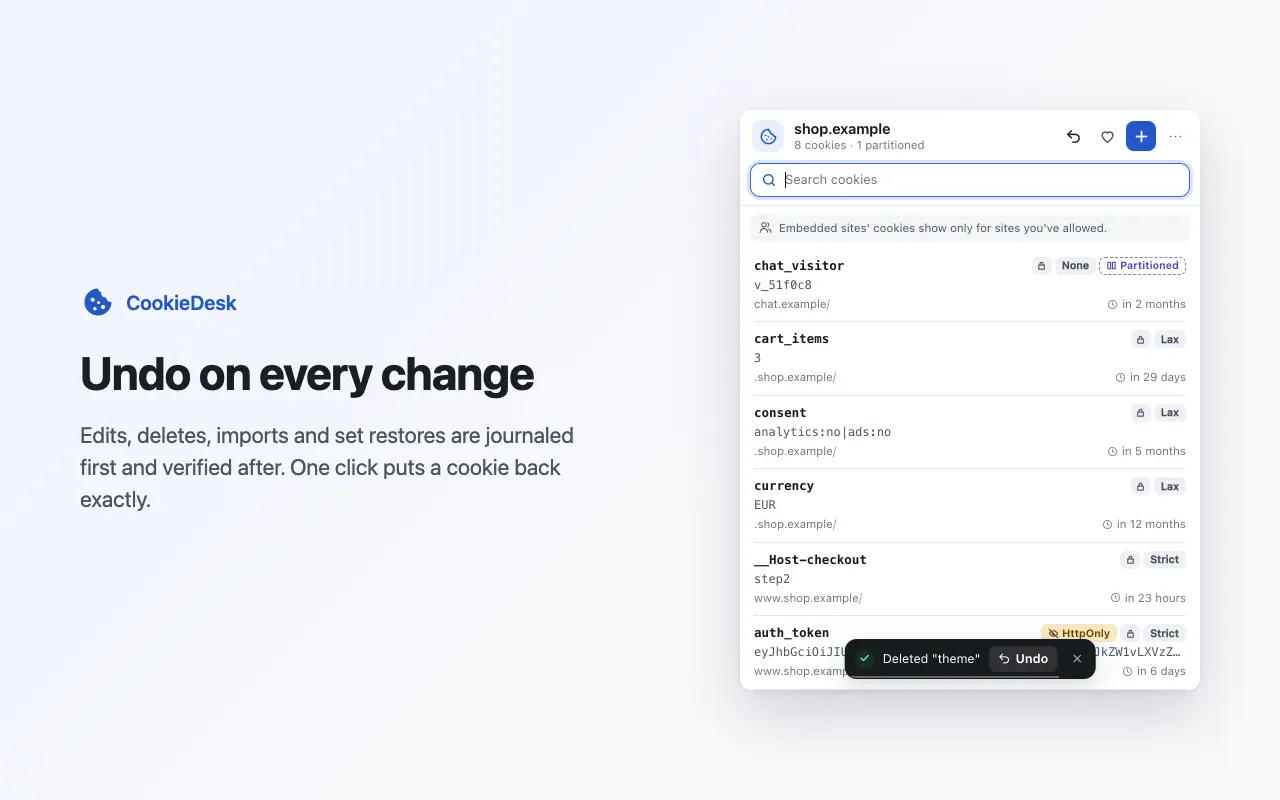
Undo on every change for 10 minutes; a change Chrome refuses rolls back completely
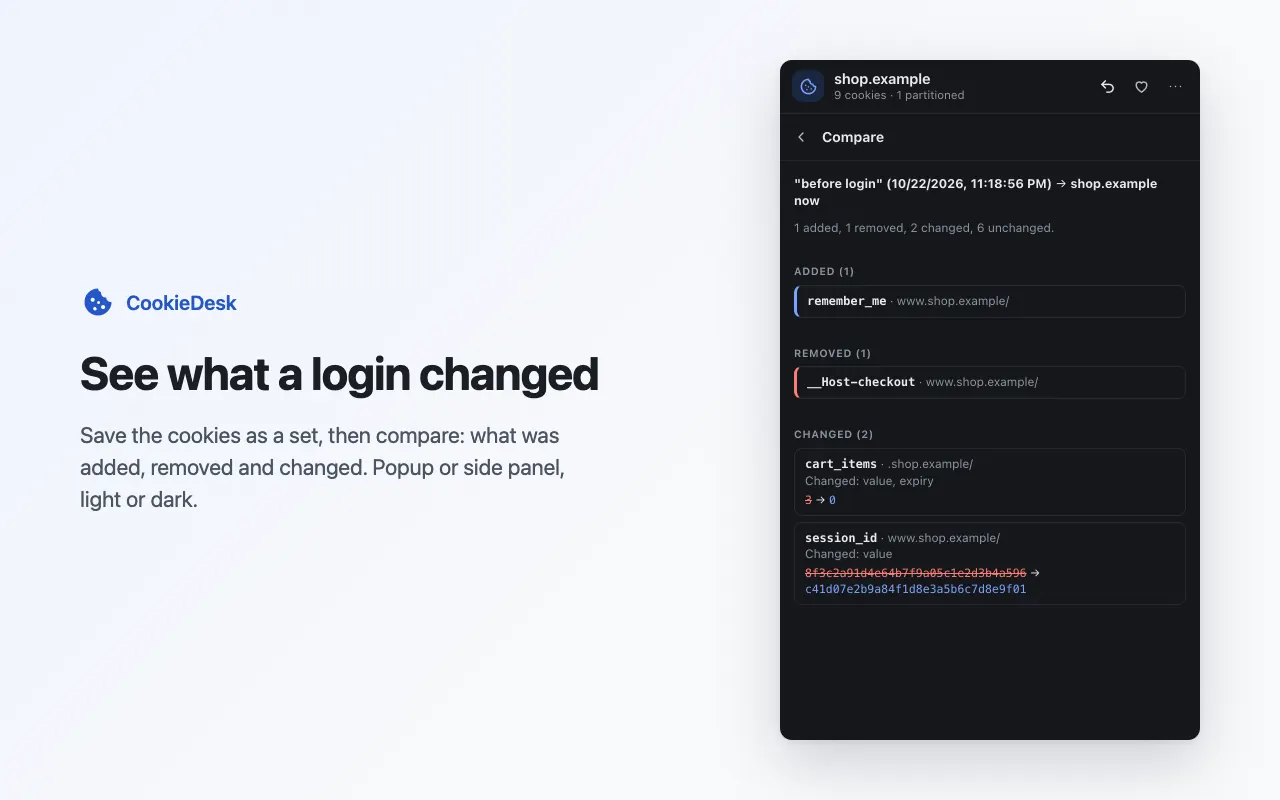
Cookie sets as files: save, restore with a preview of what changes, and compare a set with now or with another set
Protect cookies so bulk delete, import and set restore leave them alone
Copy cookies between normal and incognito windows
Import and export JSON or Netscape cookies.txt, or copy as a document.cookie snippet, with a warning that the file is a live credential
Keyboard-first: / to search, arrows, Enter to edit, c to copy, p to protect, Del, Ctrl+Z, ? for the full list
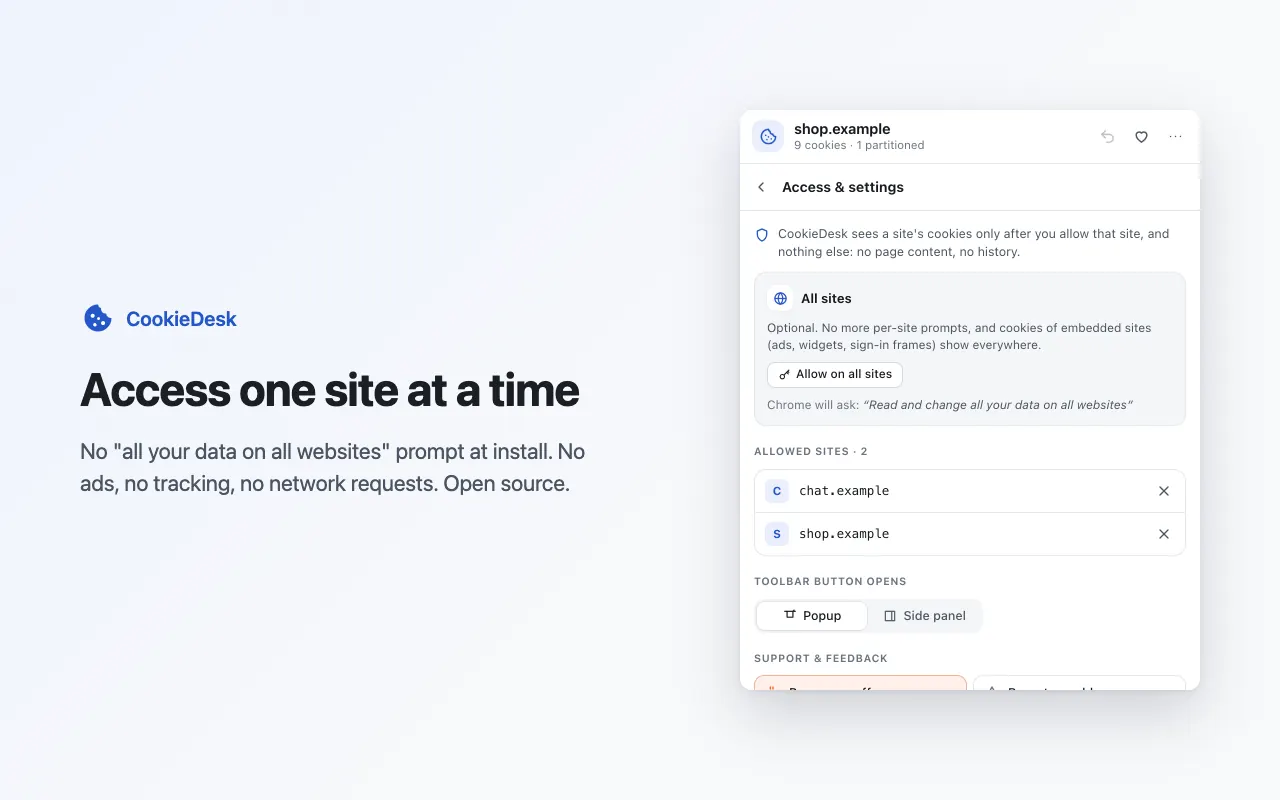
Per-site permission: no install warning, every allowed site listed and removable in one click
Interface translated into 51 languages
No network requests, no analytics, no account; open source
The long version
CookieDesk is a cookie editor for developers, testers and anyone who wants to see what a website stores, in a popup or a side panel. It lists every cookie of the site you're on, including partitioned (CHIPS) cookies that other cookie editors silently miss, each labelled with its partition, with badges for HttpOnly, Secure, SameSite and session cookies. Search filters by name, value or domain as you type, a live view highlights the cookies the site sets or changes while you use it, and "What this cookie does" explains every flag in plain words, including when a JSON Web Token in the value expires. Edit every field — name, value, domain, path, expiry, Secure, HttpOnly, SameSite and partition — and illegal combinations such as SameSite=None without Secure are caught before Chrome sees them, with the rule explained next to the field. Every change can be undone for 10 minutes: edits, deletes, imports and set restores go through an undo journal first, and if Chrome refuses a change everything rolls back. Save a site's cookies as a named set file and restore it later after a preview of exactly what will change, compare a set with now to see what logging in did, copy cookies between your normal and incognito windows, protect important cookies from bulk delete, and import or export JSON and Netscape cookies.txt. Installing shows no "read and change all your data" warning: you allow CookieDesk one site at a time, and can remove any site with one click. It makes no network requests, keeps no cookie values on disk of its own, is open source, and the interface is translated into 51 languages.
Your data, plainly
What it uses
- Settings (stored locally)
Whether the toolbar button opens the popup or the side panel, and the cookies you mark as protected, recorded by name, domain, path and partition only, never their values. Stored in Chrome's extension storage on your device and never sent anywhere. - Usage counts (stored locally)
When CookieDesk was installed, how many changes it made successfully, on how many days, and when it last made one or showed an error, plus your answers to the optional support and rating cards. Numbers and times only, with no site names and no cookie data. They stay on your device. - Undo copies (memory only)
Copies of the cookies you just changed or deleted, so undo can restore them: at most the last 20 actions, for 10 minutes, in session memory that is never written to disk and is cleared when Chrome closes or the incognito session ends.
Never collected
- Cookie values — they never leave your browser, and CookieDesk writes none to disk of its own
- Page contents and browsing history — CookieDesk has no content scripts
- Your Google account, name, email or any personal identifiers
- Analytics, telemetry or crash reports of any kind
Why it asks
Cookies
The core of the extension: lists, edits, adds and deletes the cookies of the sites you allow, only when you ask.
Site access, only for the sites you allow (optional)
Nothing is granted at install. Chrome asks you to allow each site the first time you open CookieDesk on it, or you can allow all sites in Access & settings. Every allowed site is listed there with a one-click remove.
Active tab
Reads the address of the current tab after you click the toolbar button, so CookieDesk knows which site's cookies to show and which site to ask about.
Storage
Keeps your settings (popup or side panel), the cookies you protect (by name, domain, path and partition, never their values) and a few local usage counts on your device. Undo copies live in session memory only.
Side panel
Lets you open CookieDesk in Chrome's side panel instead of the popup.
What’s new
- v1.1.0Oct 2026
Redesigned popup and side panel with icons and motion, an optional Ko-fi support link and a rare rating card, and the interface in 51 languages, including right-to-left layouts.
- v1.0.0Oct 2026
Initial release. Cookie list with partitioned (CHIPS) cookies, live search and live view, full editor with validation, undo on every change, protected cookies, bulk delete, cookie sets with restore preview and compare, copy between normal and incognito, JSON and cookies.txt import/export, document.cookie snippet, "What this cookie does", keyboard shortcuts and per-site permission.
Questions, answered
Why doesn't CookieDesk ask for access to all sites at install?
Because it doesn't need it. The first time you open CookieDesk on a site, Chrome asks you to allow that one site. You can allow all sites in Access & settings if you prefer, and remove any site with one click.
Why does CookieDesk show cookies other cookie editors don't?
Chrome keeps partitioned (CHIPS) cookies apart and only returns them to tools that ask for them. CookieDesk asks, so it lists them next to normal cookies, each labelled with the site it is partitioned under.
Can I undo a mistake?
Yes. Every edit, delete, import, copy and set restore can be undone for 10 minutes, from the toast, the undo button or Ctrl+Z. If Chrome refuses part of a change, CookieDesk rolls the whole change back and tells you why.
Can I edit HttpOnly cookies?
Yes. HttpOnly only hides a cookie from page JavaScript; CookieDesk reads and edits it through Chrome's cookies API like any other cookie.
Is an exported cookie file safe to share?
No. It contains live session cookies, and anyone who has it can sign in as you on those sites. CookieDesk warns you before every export; treat the file like a password and delete it when you're done.
Does CookieDesk collect any data?
No. It makes no network requests, has no account and keeps no cookie values on disk of its own. Settings and a few usage counts stay in your browser.