 Productivity
Unlock with Adkar & Quran
Recite first. Then browse.
Your sites wait until you finish your daily Adkar
- New · no ratings yet
- v1.0.0
- 979 KB
- updated Oct 2026
- by Ilias El Barhoumi
See it in action
What it does.
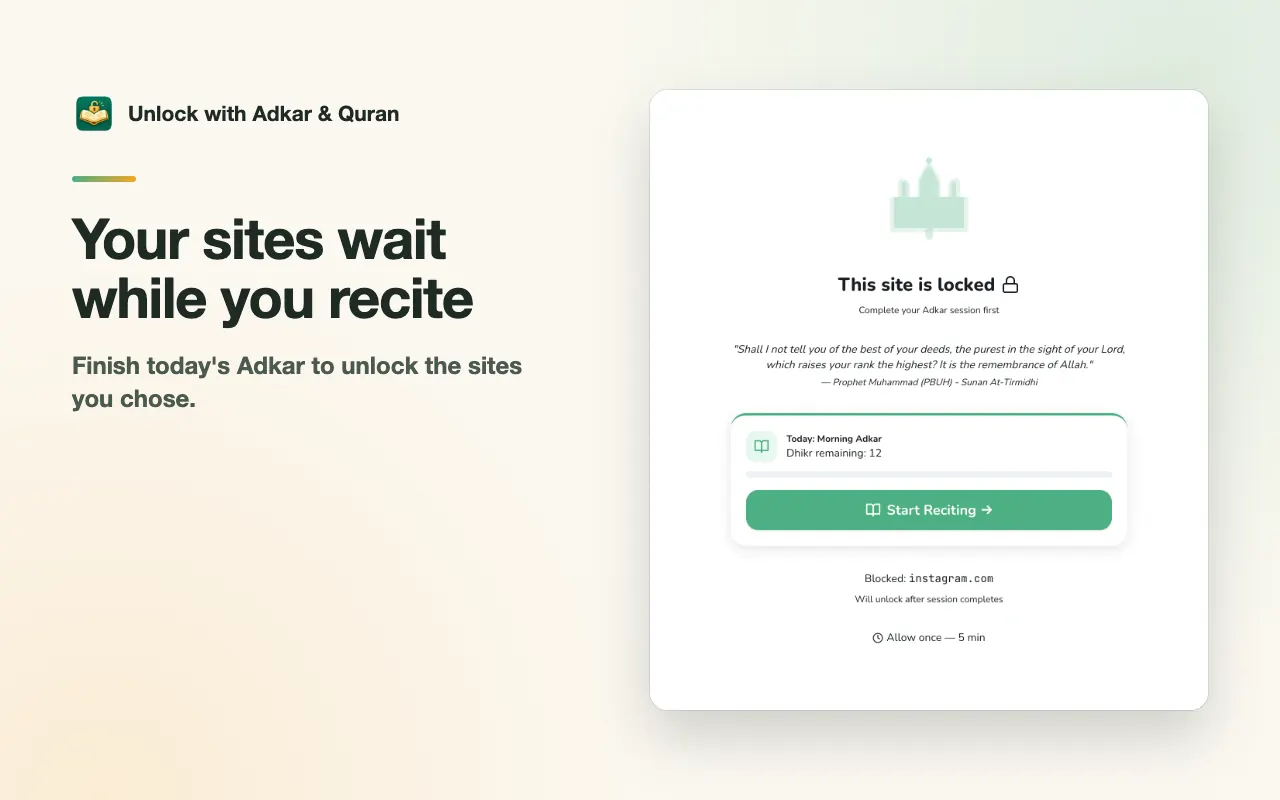
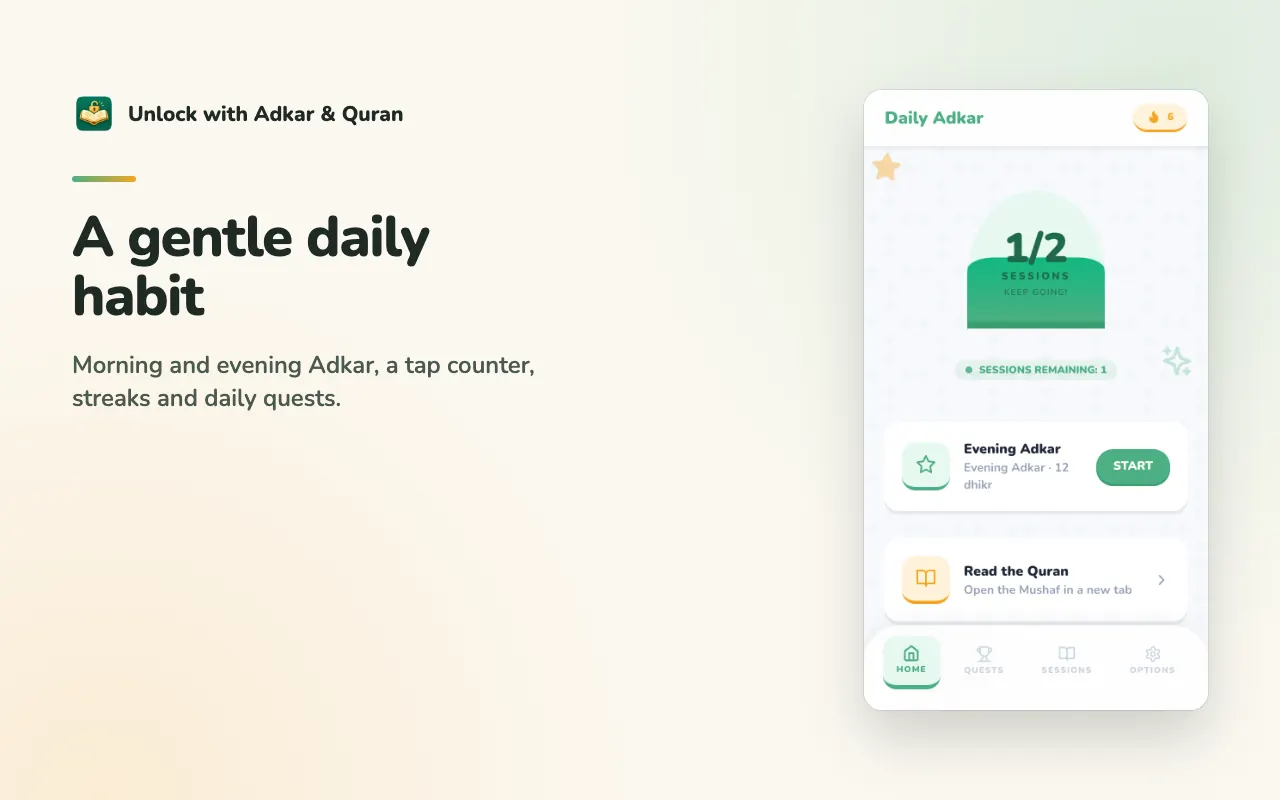
Sites wait while you recite: the sites you choose stay locked until you finish that day's Adkar
Morning, evening and more from Hisn al-Muslim, with Arabic text, translation and a tap counter for every repetition
Gentle, never punishing: streaks, daily quests, weekend mode, reminders and "Allow once for 5 minutes"
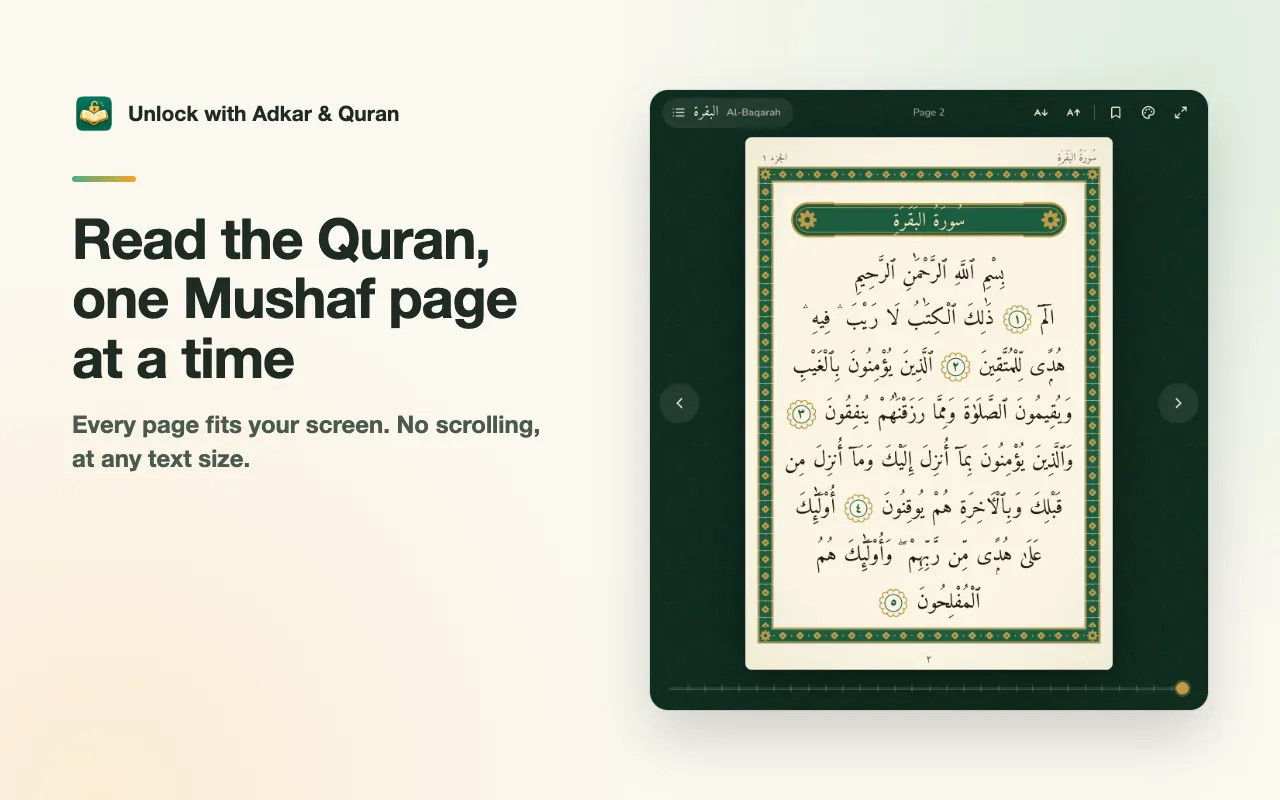
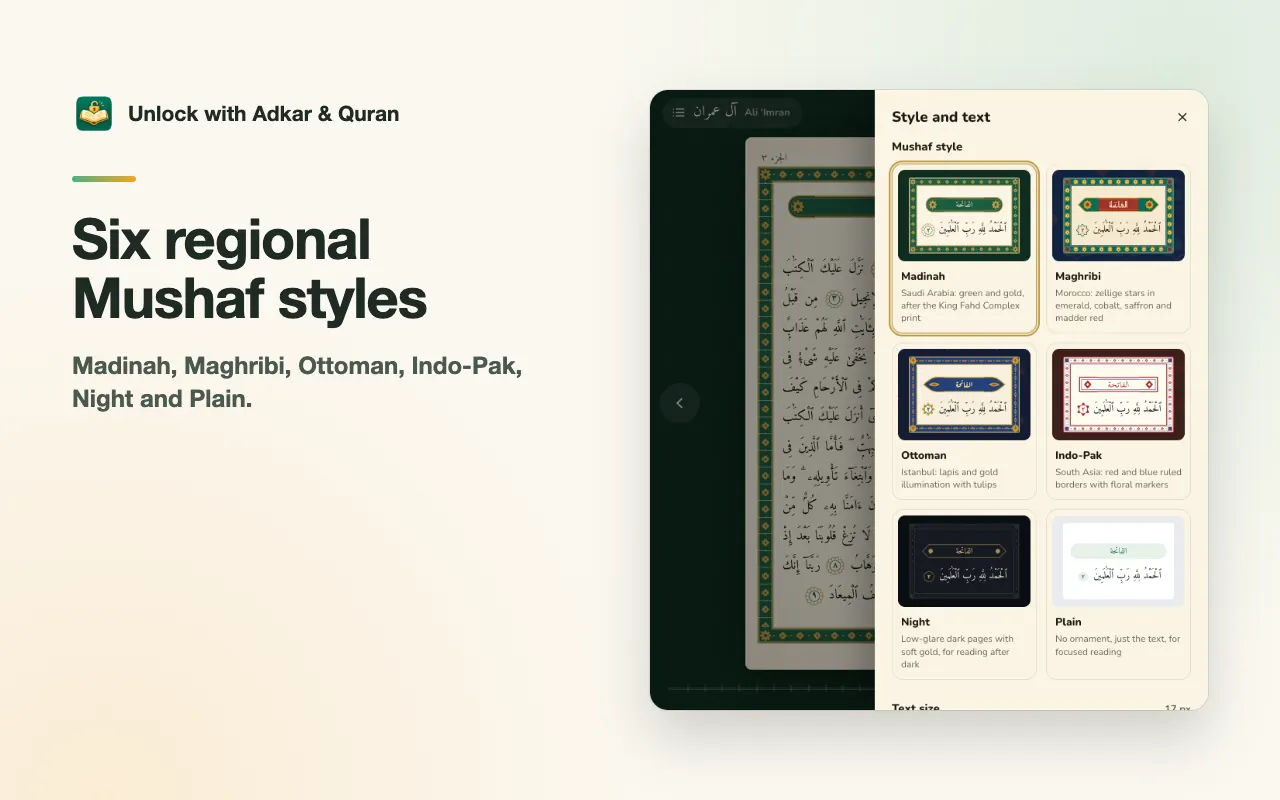
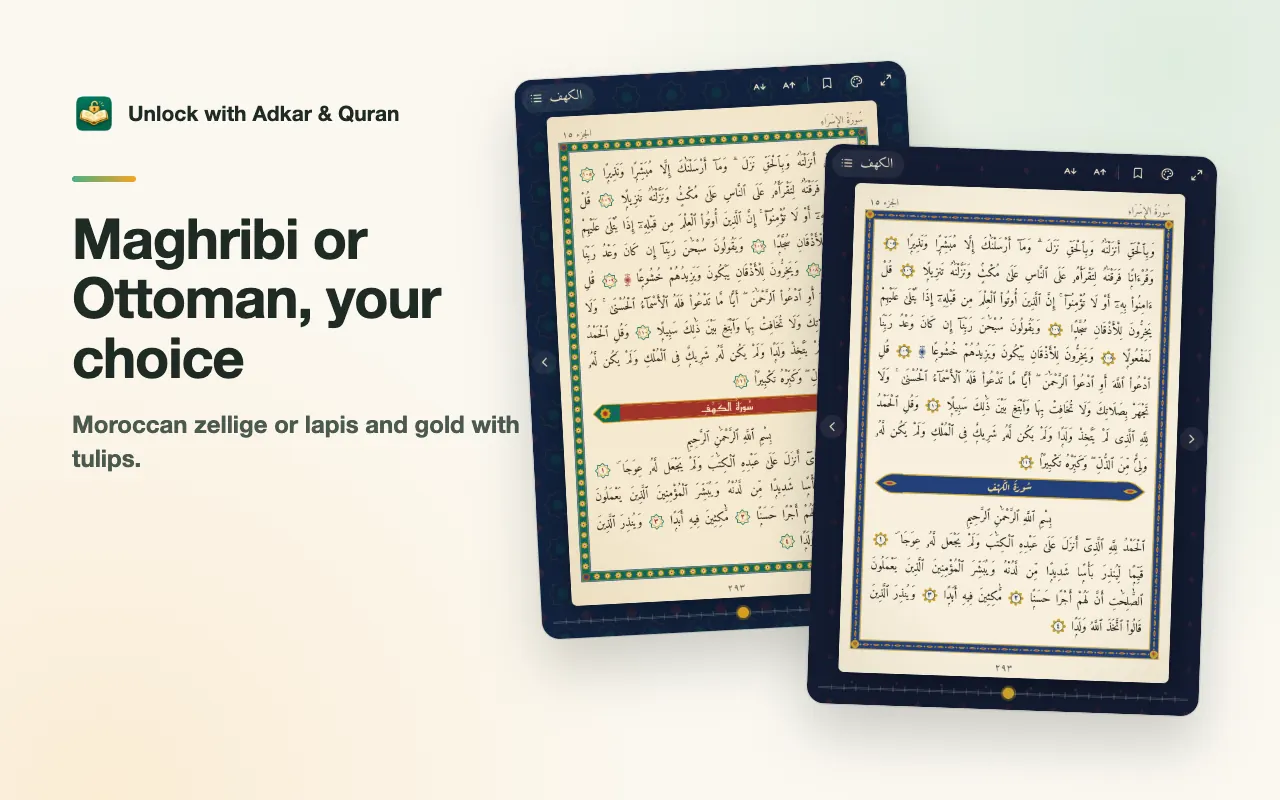
A Mushaf Quran reader in six regional styles: Madinah, Maghribi, Ottoman, Indo-Pak, Night and Plain
No scrolling, ever: every page fits your screen at any text size, and a long page continues on the next side
Surah and Juz index searchable in Arabic and English, a page slider, bookmarks, and it reopens where you stopped
The long version
Unlock with Adkar & Quran helps you keep a steady habit of morning and evening remembrance. Pick the sites that pull you away, and Chrome keeps them locked until you finish that day's Adkar. The Adkar come from Hisn al-Muslim (Fortress of the Muslim) with Arabic text and translation, a tap counter for every repetition, streaks and daily quests in the side panel. It is encouraging, never punishing: miss a day and you get a gentle way back, and "Allow once for 5 minutes" is there when you truly need a site. It also includes a full Mushaf Quran reader that opens in its own tab, laid out like a printed Mushaf in six regional styles: Madinah (green and gold), Maghribi (Moroccan zellige), Ottoman (lapis and gold with tulips), Indo-Pak (red and blue borders), Night and Plain. Every page fits your screen at any text size with no scrolling, and a long page continues on the next side. Search surahs in Arabic or English, jump by Juz or page, keep several bookmarks and reopen where you stopped. The interface is available in 51 languages. Everything is free, with no accounts, ads or analytics; your sessions, streaks and bookmarks stay in your browser.
Your data, plainly
What it uses
- Blocklist, sessions and settings (stored by Chrome)
Your blocked sites, sessions, reminder times, weekend mode and other settings are kept in chrome.storage.sync. If you are signed in to Chrome with sync on, Google may copy them between your devices. The developer never receives them. - Progress, streaks and reading (stored locally)
Daily progress, streaks, quests, the "Allow once" state, Quran bookmarks, your last page, the reader style and cached Quran page text stay in your browser and are deleted when you uninstall.
Never collected
- The pages you visit: the extension never reads, records or changes them
- Your Google account, name, email or any personal identifiers
- Analytics, telemetry, ads or crash reports of any kind
- Your blocklist: it is used only on your device to build Chrome's blocking rules
Why it asks
Block content on pages (declarativeNetRequest)
Turns your own list of sites into Chrome blocking rules that show the "complete your Adkar to unlock" page. The rules are lifted when the day's Adkar are done, during an "Allow once" window, or in weekend mode.
Site access (all sites)
You can block any site, so the rules must be able to match any address. The extension never reads, records or changes the pages you visit. It also covers loading Quran page text from api.alquran.cloud.
Storage
Keeps your blocklist, sessions, settings, progress, streaks, Quran bookmarks, reading position and cached Quran pages in your browser.
Alarms
Resets the day's Adkar at midnight, fires the reminder times you set and ends the 5-minute "Allow once" window.
Notifications
Shows the optional Adkar and streak reminders at the times you choose. Nothing else.
Side panel
The toolbar icon opens the side panel with today's Adkar, quests and streak.
What’s new
- v1.0.0Oct 2026
Initial release. Daily Adkar sessions that unlock your chosen sites, tap counter, streaks and quests, plus a Mushaf Quran reader in six regional styles with no-scroll pages, bookmarks and a searchable index. Interface in 51 languages.
Questions, answered
Is it really free?
Yes. Every feature is free, with no ads, accounts or paid tier. If it helps you, an optional tip on Ko-fi keeps it going.
What happens when I open a blocked site?
You see a calm "complete your Adkar to unlock" page with today's progress and a button to start reciting. When the day's Adkar are done, every site opens normally. If you truly need a site sooner, "Allow once" opens it for 5 minutes.
Does it work offline?
The Adkar are built in and work fully offline. Quran pages load from api.alquran.cloud the first time you open them and are then cached, so pages you have read open again without a connection.
Which Quran text does the reader use?
The Uthmani script in the Hafs reading from the Tanzil project, served by api.alquran.cloud. The Quran and the Adkar are never machine-translated; only the interface is available in 51 languages.
Can I read without scrolling at a large text size?
Yes. With "Fit each page on one side" every Mushaf page fills one side, as in print. Choose a larger text size and a long page continues on the next side instead of scrolling.