 Developer Tools
JSONDesk
JSON, readable the moment it loads.
A fast JSON viewer and formatter that sends nothing
- New · no ratings yet
- v1.1.0
- 845 KB
- updated Oct 2026
- by Ilias El Barhoumi
See it in action
What it does.
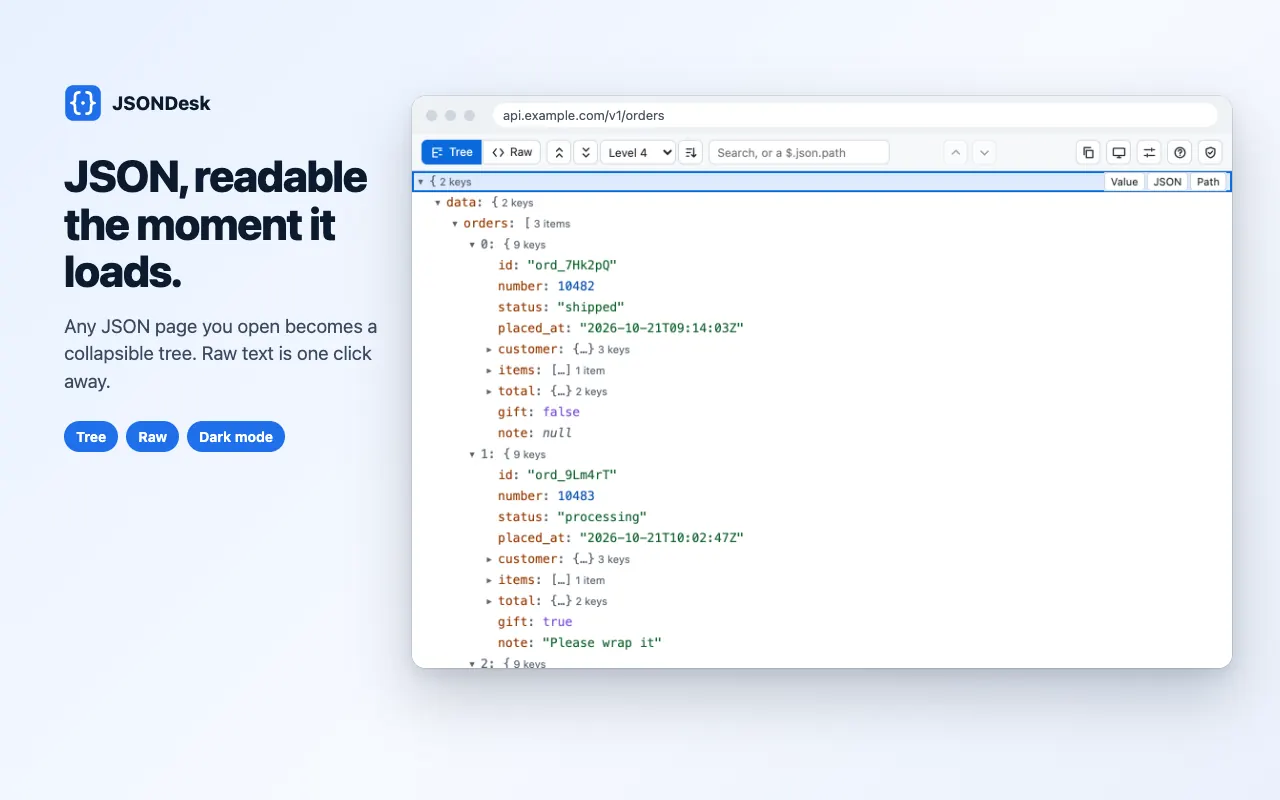
Any JSON page opens as a collapsible tree, with item and key counts on every folded node; raw text is one click away, at the same place
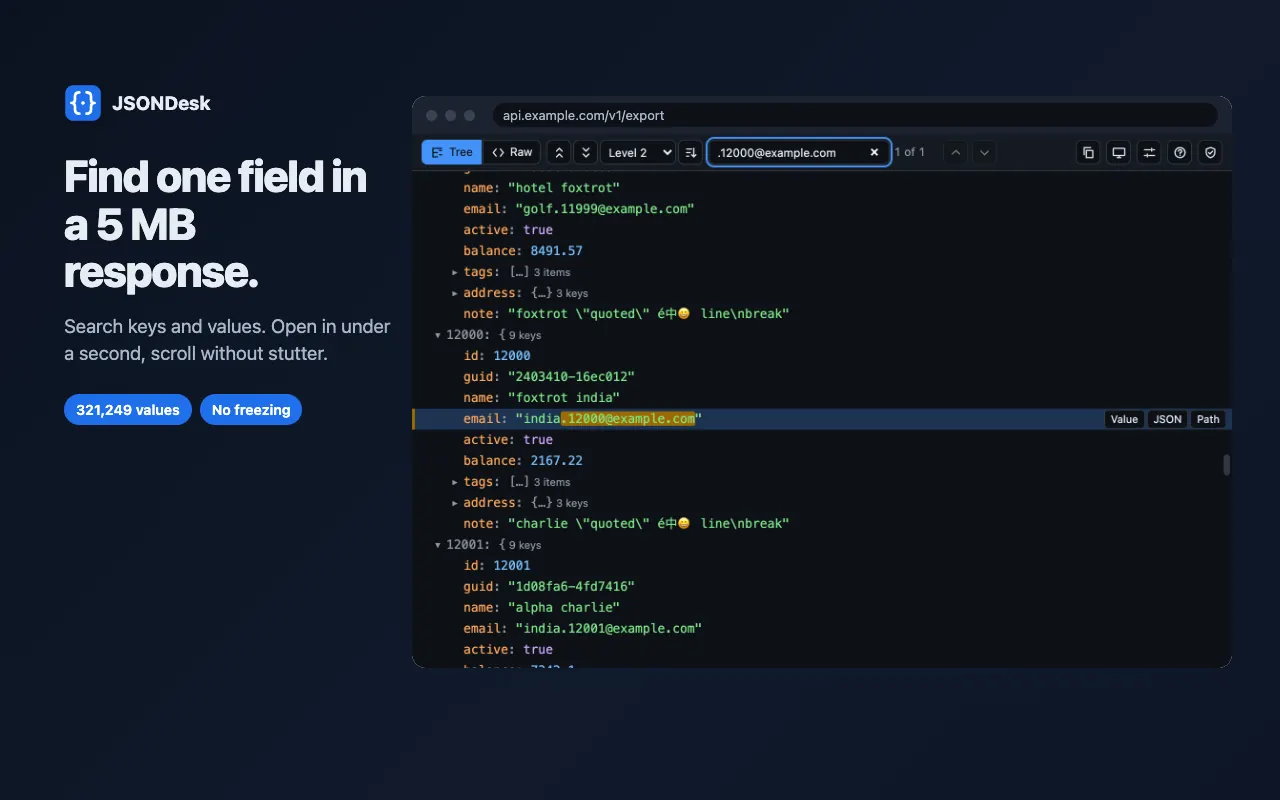
Fast on big files: 5 MB of minified JSON in about half a second, larger files parsed in slices with progress, smooth scrolling at hundreds of thousands of rows
Search keys and values with a match count and next / previous
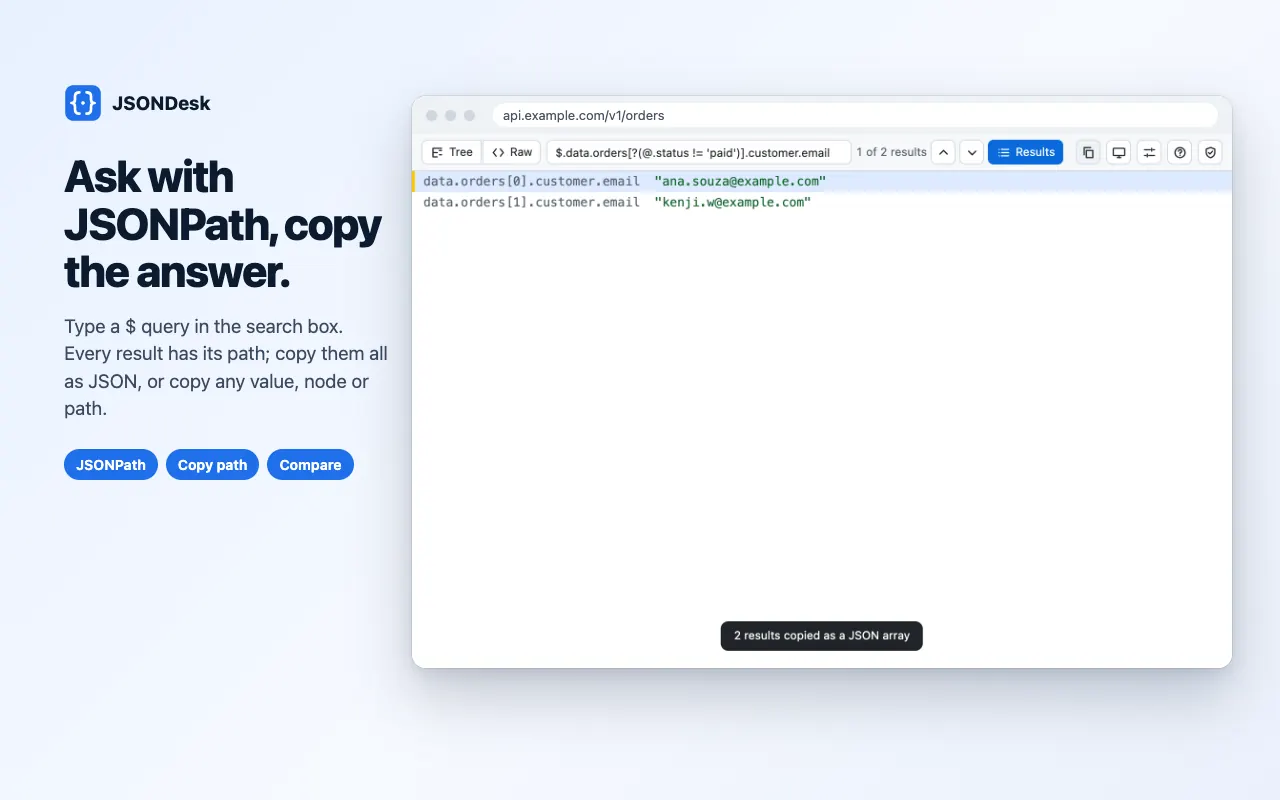
JSONPath queries in the search box ($.items[?(@.price > 10)].id), with a results list copied as a JSON array in one click
Copy a value, a whole node as formatted JSON, or its path (data.items[3].id)
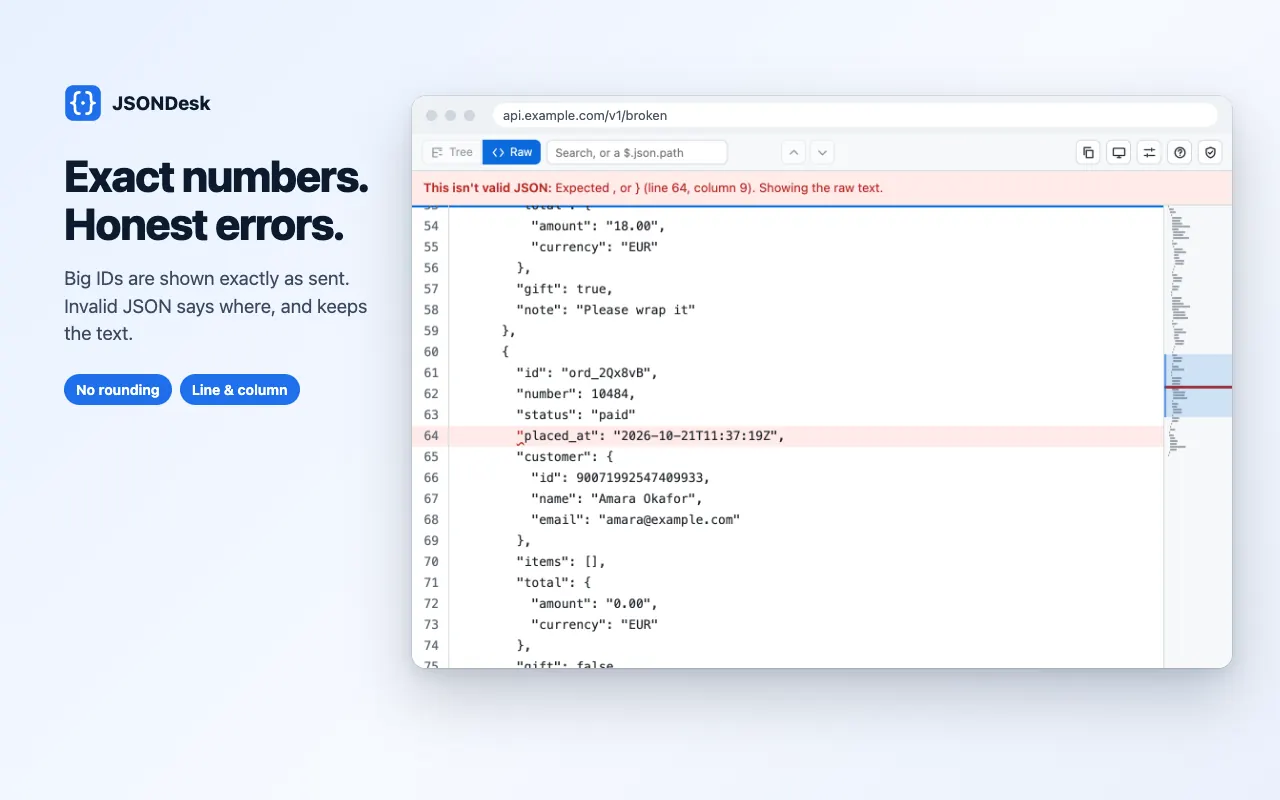
Exact numbers: 12345678901234567890 is never rounded; key order and duplicate keys kept as written
Invalid JSON shows the error with line and column, and marks the spot in the raw text
XSSI prefixes and JSONP wrappers removed and noted; JSON Lines / NDJSON open as a list of records
Compare two JSON documents: every changed, added and removed value, with its path
Raw view with line numbers and a minimap; sort keys A→Z without changing what you copy
Paste-and-drop page for JSON that isn't in a tab, which works with no permissions at all
Light and dark themes, full keyboard control (? lists the shortcuts)
Interface translated into 51 languages, with right-to-left layouts
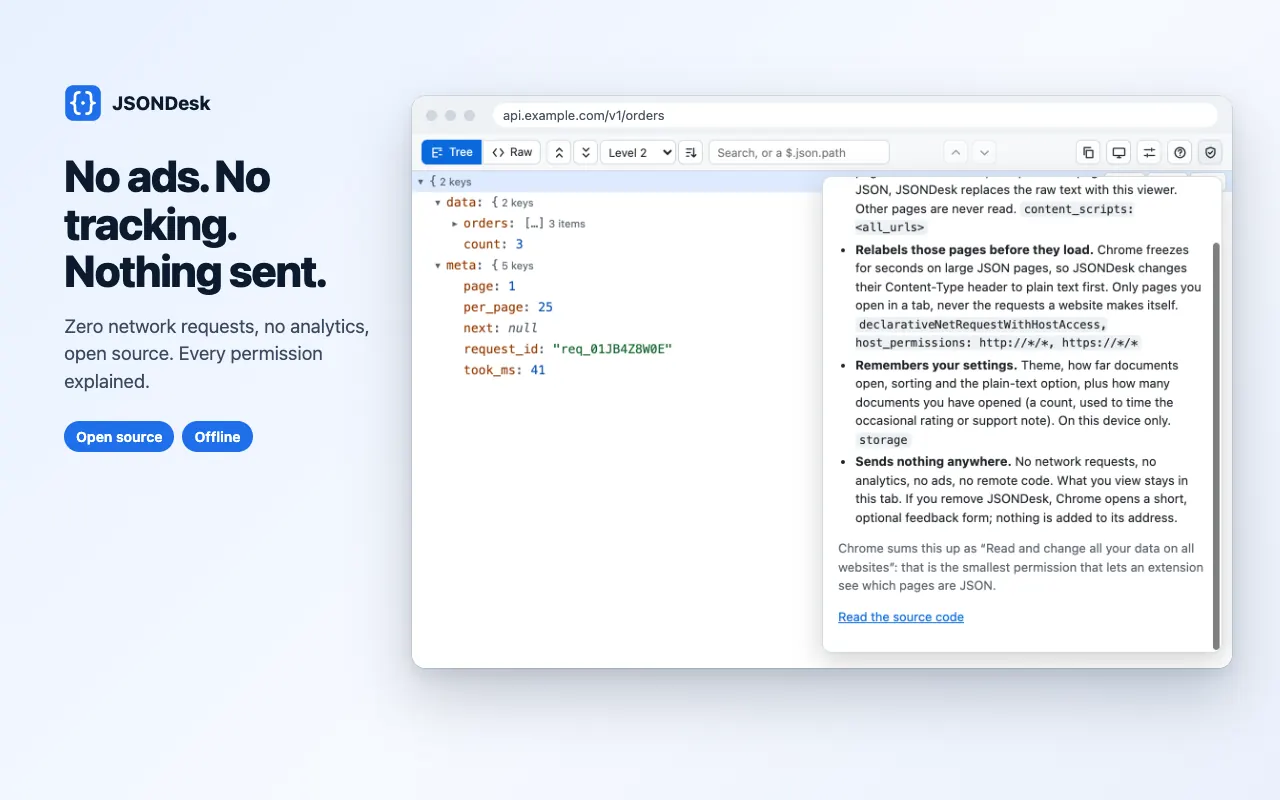
No network requests, no analytics, no remote code; open source
The long version
JSONDesk turns any JSON page you open in Chrome into a fast, collapsible tree: API responses, config files, webhook payloads, local .json files and JSON Lines. Five megabytes of minified JSON is ready in about half a second, larger files are parsed in slices with a progress bar so the tab never locks up, and scrolling stays smooth with hundreds of thousands of rows. Search keys and values with a match count, or type a JSONPath query such as $.items[?(@.price > 10)].id and get every result with its path, copied as a JSON array in one click. Copy any value, a whole node as formatted JSON, or its path (data.items[3].id), and switch between the tree and the raw text, with line numbers and a minimap, without losing your place. It is correct rather than approximate: big numbers like 12345678901234567890 are shown exactly as sent, key order and duplicate keys are kept, invalid JSON shows the error with line and column and marks the spot, and XSSI prefixes and JSONP wrappers are removed and noted. A compare page lists every changed, added and removed value between two documents, and a paste-and-drop page handles JSON that isn't in a tab. Chrome itself freezes on large JSON pages, so JSONDesk relabels them as plain text before they load, with one declarative rule that only touches pages you open in a tab. It makes no network requests, stores nothing you view, is open source, and the interface is translated into 51 languages.
Your data, plainly
What it uses
- Settings (stored locally)
Theme, how far documents open, key sorting, and whether plain-text JSON pages open in the viewer. Stored in Chrome's extension storage on your device and never sent anywhere. - Usage counts (stored locally)
When JSONDesk was installed, how many documents opened in the viewer, on how many days, and when the last one opened or a copy failed, plus your answers to the optional support and rating notes. Numbers and times only, with no addresses and no content. They stay on your device.
Never collected
- The JSON you view — it stays in its tab and is never stored, logged or sent
- Addresses and browsing history — JSONDesk only checks whether a page is JSON
- Your Google account, name, email or any personal identifiers
- Analytics, telemetry or crash reports of any kind
Why it asks
Read and change all your data on all websites
Chrome's summary of the smallest permission that lets an extension see which pages are JSON. The content script checks each page's content type at load and does nothing unless it is a JSON document; other pages are never read.
Declarative net request (with host access)
One static rule changes the Content-Type of JSON pages you open in a tab to plain text before they load, because Chrome freezes for seconds on large JSON pages. It never blocks, redirects or changes anything else, and never touches the requests websites make themselves.
Storage
Keeps your settings (theme, how far documents open, key sorting, plain-text pages on or off) and a few local usage counts on your device. Nothing you view is ever saved.
What’s new
- v1.1.0Oct 2026
JSONPath queries, sort keys, raw view minimap, JSON Lines, a compare page, more keyboard shortcuts, a theme button, a welcome page, an optional Ko-fi link and a rare rating note, and the interface in 51 languages, including right-to-left layouts.
- v1.0.0Oct 2026
Initial release. JSON pages as a virtualised tree with raw view, large-file parsing in slices, search, copy value / JSON / path, exact big numbers, duplicate keys, clear errors with line and column, XSSI and JSONP handling, a paste-and-drop page, light and dark themes.
Questions, answered
Why does Chrome say JSONDesk can "read and change all your data on all websites"?
That is Chrome's wording for the smallest permission that lets an extension see which pages are JSON, since JSON can come from any site. JSONDesk checks each page's content type and does nothing unless the page is JSON. It makes no network requests, so nothing it sees can leave your browser.
Why does JSONDesk change the Content-Type of JSON pages?
Chrome freezes for seconds on large JSON pages before any extension can run. JSONDesk relabels JSON pages you open in a tab as plain text first, with one declarative rule that Chrome applies itself, then shows them as a tree. Requests that websites make themselves are never changed.
How big a file can it open?
Five megabytes is ready in about half a second and 50 MB in a couple of seconds, parsed in slices with progress. Above 64 MB it opens the raw text first and builds the tree when you ask.
Are big numbers shown exactly?
Yes. JSONDesk reads numbers from the source text, so 12345678901234567890 is shown and copied exactly as sent, never rounded. Key order and duplicate keys are kept as written too.
Can I open local .json files?
Yes. Use "Paste or open JSON" in the toolbar button, which always works, or turn on "Allow access to file URLs" in JSONDesk's details to open .json files directly in a tab.
Does JSONDesk collect any data?
No. It makes no network requests, has no account and never stores what you view. Settings and a few usage counts stay in your browser.